

Digital Yacht veLink: Victron to NMEA 2000, Without a GX
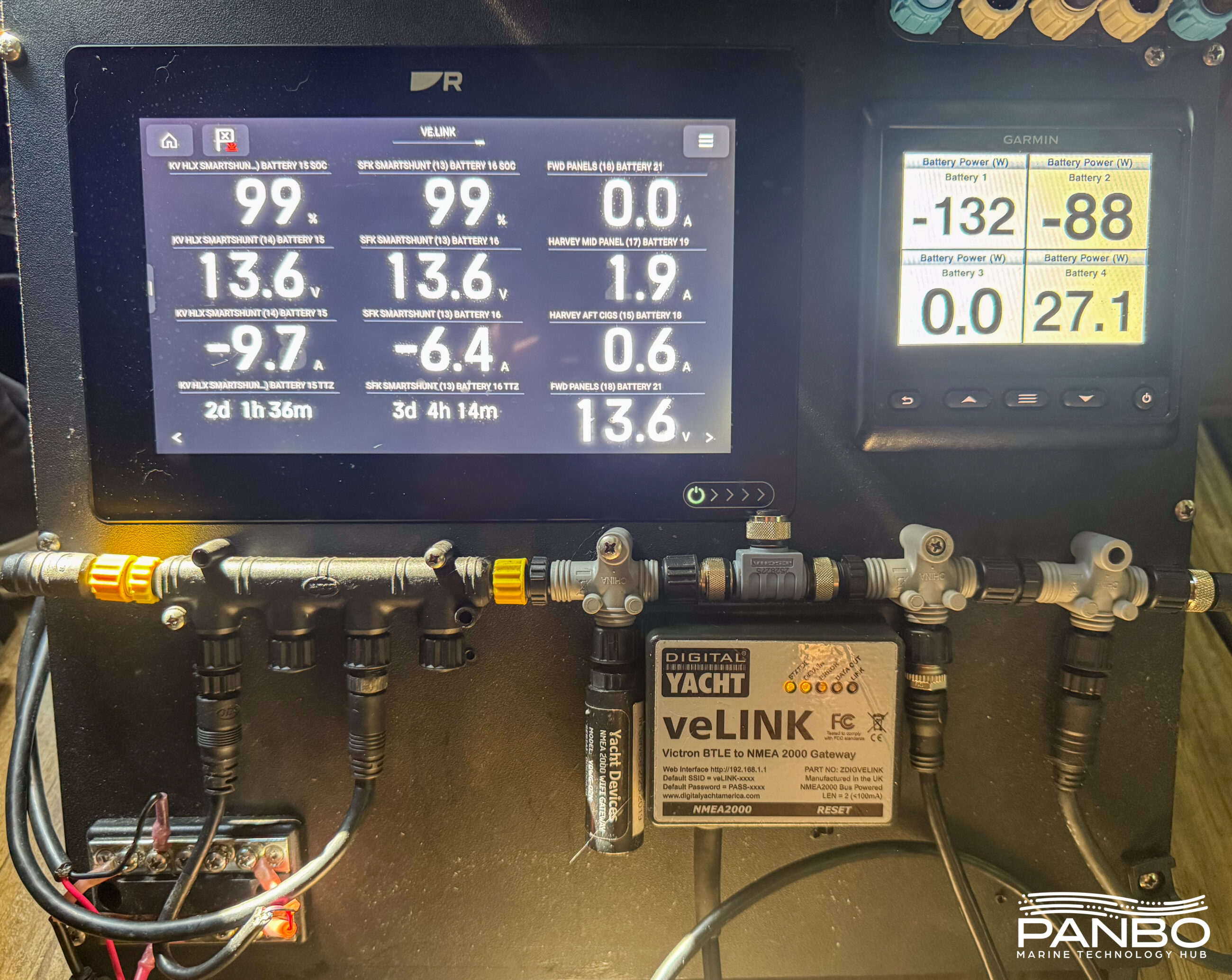
Victron makes an impressive line of electrical products for boats, RVs and off-grid systems. They offer a similarly broad — and maybe even dizzying — array of connectivity options. But, despite those options, there is a big gap between a simple Victron setup with just a few devices connected to your cell phone via Bluetooth and a full-blown GX system with a Cerbo, Ekrano, or other control hardware. Digital Yacht aims to fill that void with the veLink, a Victron Bluetooth to NMEA 2000 converter.
veLink caught my eye walking the floor of this year’s Discover Boating Miami International Boat Show. The $299 device joins the $259 veKonvert in Digital Yacht’s Victron converter lineup. The veKonvert relies on a ve.direct connection to a single Victron device whereas the veLink uses Bluetooth Low Energy (BLE) to connect to up to 8 Victron devices simultaneously. These straightforward devices convert information from Victron’s devices directly to NMEA 2000 for display on your gauges, MFDs, and other NMEA 2000 connected systems.
Before we go any further, let’s cover a few questions you may have about when you need a veLink — and about the limits of showing electrical data on NMEA 2000 displays. I’ll be the first to say the veLink makes a lot of sense in some setups and isn’t the best fit in others.
First, you may find yourself asking why you would want a veLink at all. After all, you can buy a Cerbo GX MK2 for similar money to a veLink. That comes with a host of integration options, access to Victron’s VRM, and a lot of deep functionality. But, there are a lot of boats with just a couple of Victron components for which a GX device is overkill. Additionally, displaying the output of the GX device either requires a mobile phone, a dedicated display or a network link between the GX device and plotter to use Venus OS’ boat page.
In contrast, veLink connects to NMEA 2000 and any gauge, display, or system on the boat can display it. GX devices can connect directly to NMEA 2000, though that requires a $70 cable and comes with a sometimes frustrating instance management system on the GX. While we’re talking about cables, remember that the veLink uses BLE for communications with up to 8 Victron devices. A GX device connected to that many VE.Direct devices would require both cable to each one and a USB hub. The easiest config I see is an 8-port USB hub for about $20 and 8 Victron VE.Direct to USB cables at about $30 each. That’s about $260 in cabling alone.
Panboat has a Cerbo, the GX to NMEA 2000 cable, Ethernet connectivity between Cerbo and MFD, and yet I frequently fall back to NMEA 2000 to just display an SOC gauge. It’s the easiest way to do it and I have the benefit of seeing battery state of charge at a glance.
NMEA 2000 PGNs limit information
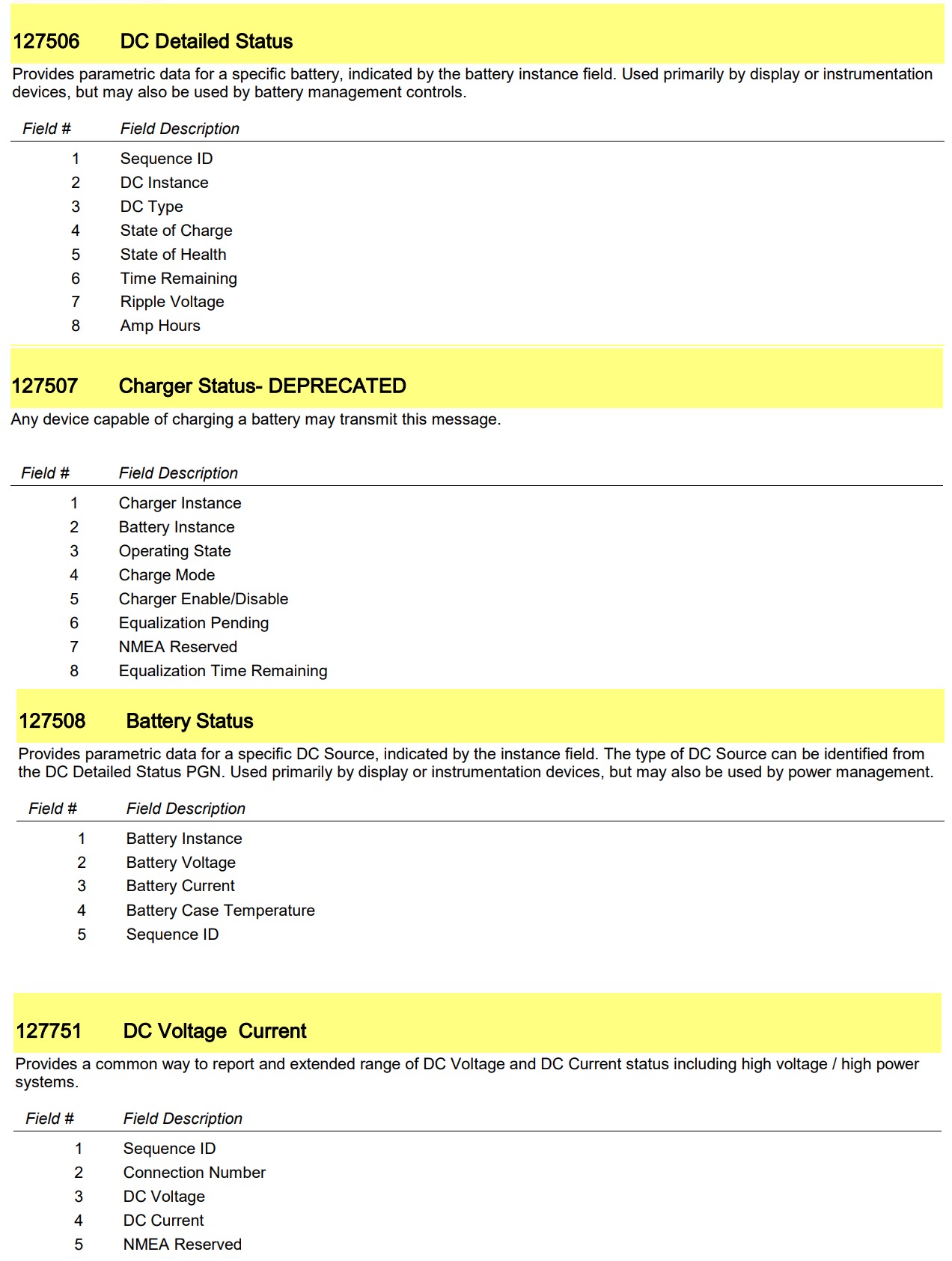
Now to NMEA 2000 limitations. Unfortunately, the DC status and configuration PGNs defined in NMEA 2000 are a little limited. I’m data obsessed, so I’ve long been frustrated that SOC values in NMEA 2000 carry no decimal precision. Additionally, there is important (at least to me) data not carried in any of the battery or DC status PGNs. Most notably consumed amp hours, a number I peek at regularly.
Using veLink
Full disclosure: I’m on the road for some summer travels; hence I’ve been testing veLink in my RV, not on Panboat. However, I have an appropriate complement of Victron equipment on the RV as well as a full NMEA 2000 network, Raymarine Axiom, Garmin GMI-20, and a SignalK Server instance.
Most often, when I write a product review I have a full section of the review on installing it. Since installation consists of screwing the DeviceNet connector to a NMEA 2000 t-connector, I think we can skip that section and move right on to configuring and using veLink.
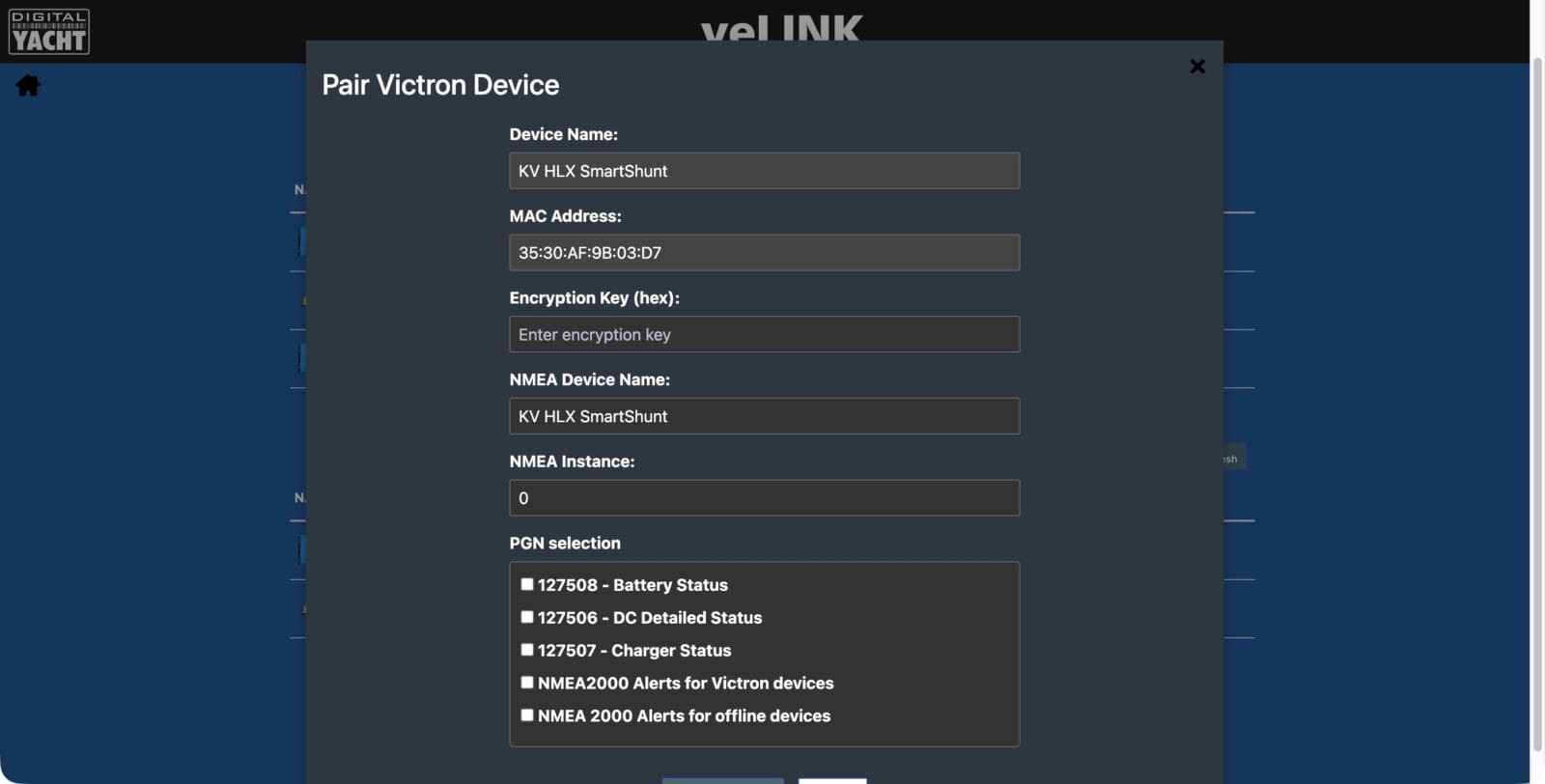
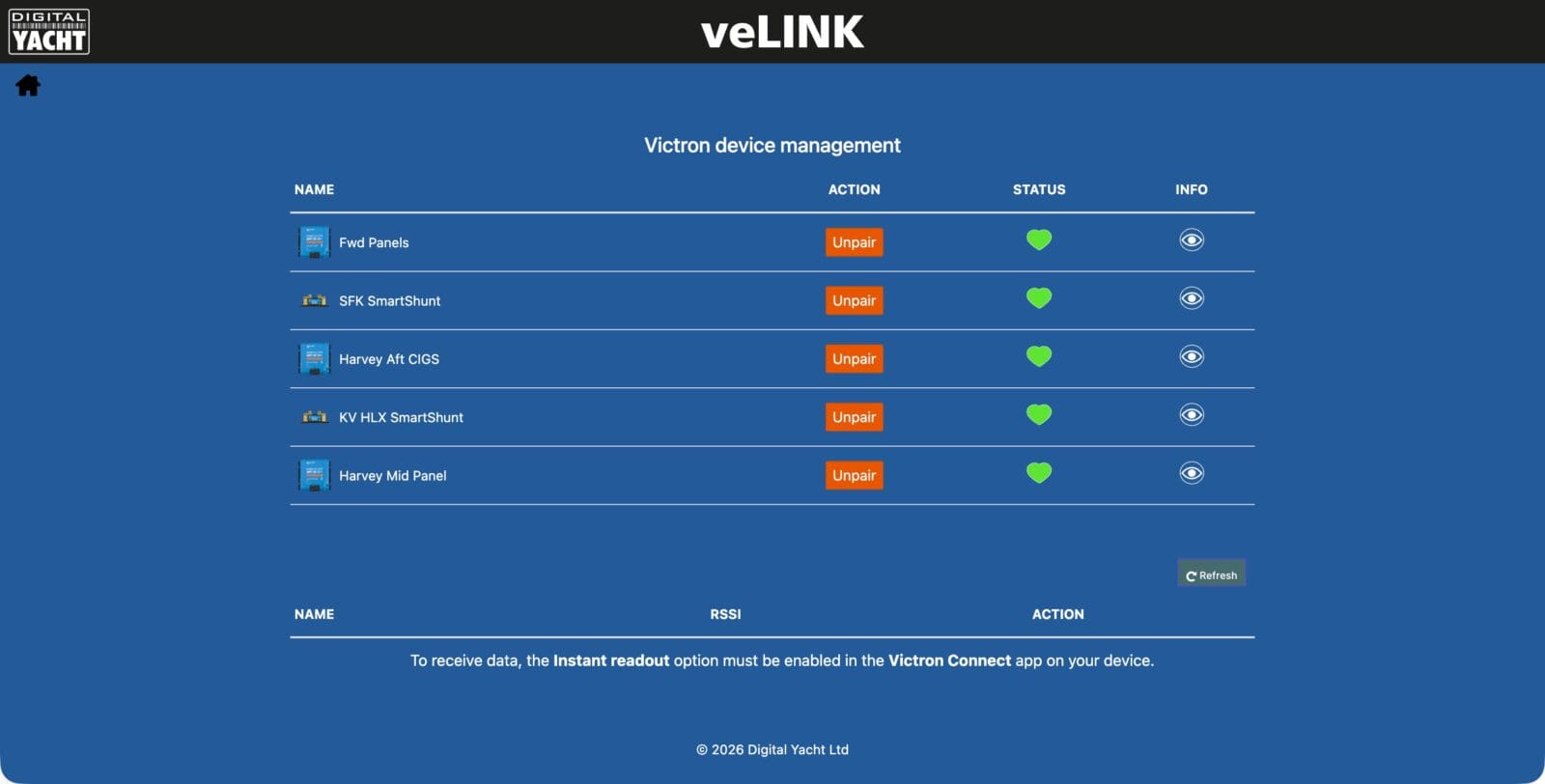
Configuring veLink is pretty easy, though a little fiddly because of encryption keys. To make a device visible to veLink, you must enable real time status updates in Victron Connect. It’s actually those real time messages that the unit receives and uses to display its data. With those updates enabled, you can add the device. veLink needs the encryption key from Victron Connect to decode the BLE status updates. The encryption key is long and cumbersome to type if you have it on your phone and configure veLink from your computer. That’s what I did, though I was able to copy and paste across from phone to computer.
Once you provide the encryption key, there are a few more things to configure for the device. First, is the name of the Victron device as it will broadcast on the NMEA 2000 network. Next, an instance number. If you connect multiple devices that will broadcast the same PGNs, make sure the NMEA instance numbers don’t conflict. In my case, I have two battery monitors and three MPPT solar chargers. So, my battery monitors are set to instances 0 and 1 while the MPPTs are set to 2, 3, and 4. Lastly, you set the PGNs to transmit for the Victron device. After a bit of back and forth, I ended up deciding to enable all PGNs for all devices.
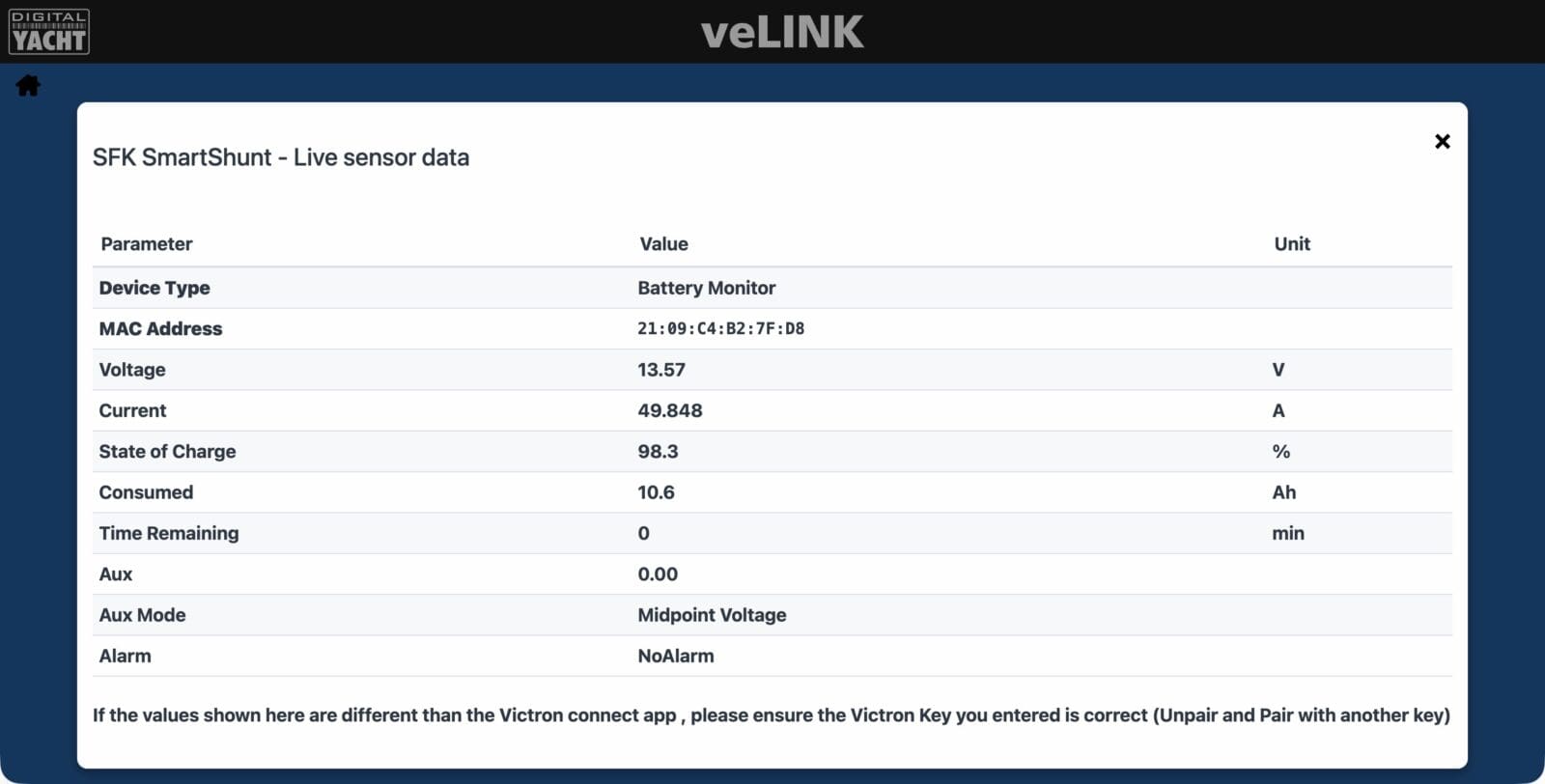
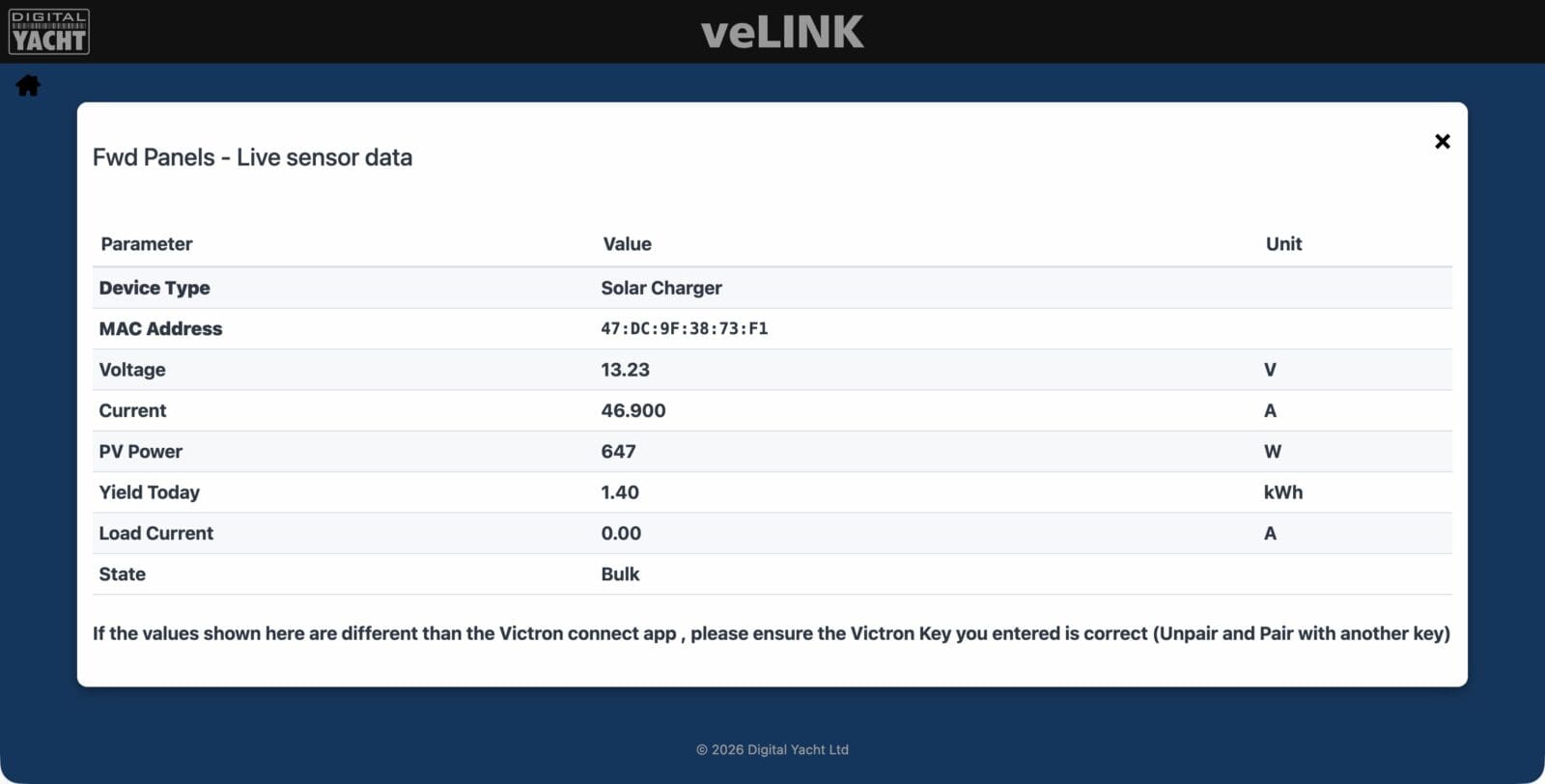
Once connected, clicking on the eye icon brings up the live data received from the Victron device via BLE. Both battery monitors and chargers collect, to my eye, all the information you need to monitor the operation of the device. Unfortunately, as I mentioned earlier, NMEA 2000 PGNs don’t support all the information collected. I already mentioned the consumed amp hours for a battery monitor. The MPPT controller also outputs yield today, another data element I’d love to display. Without entries for the data in the NMEA 2000 PGNs, Digital Yacht can’t translate that and share the data.
Displaying the data
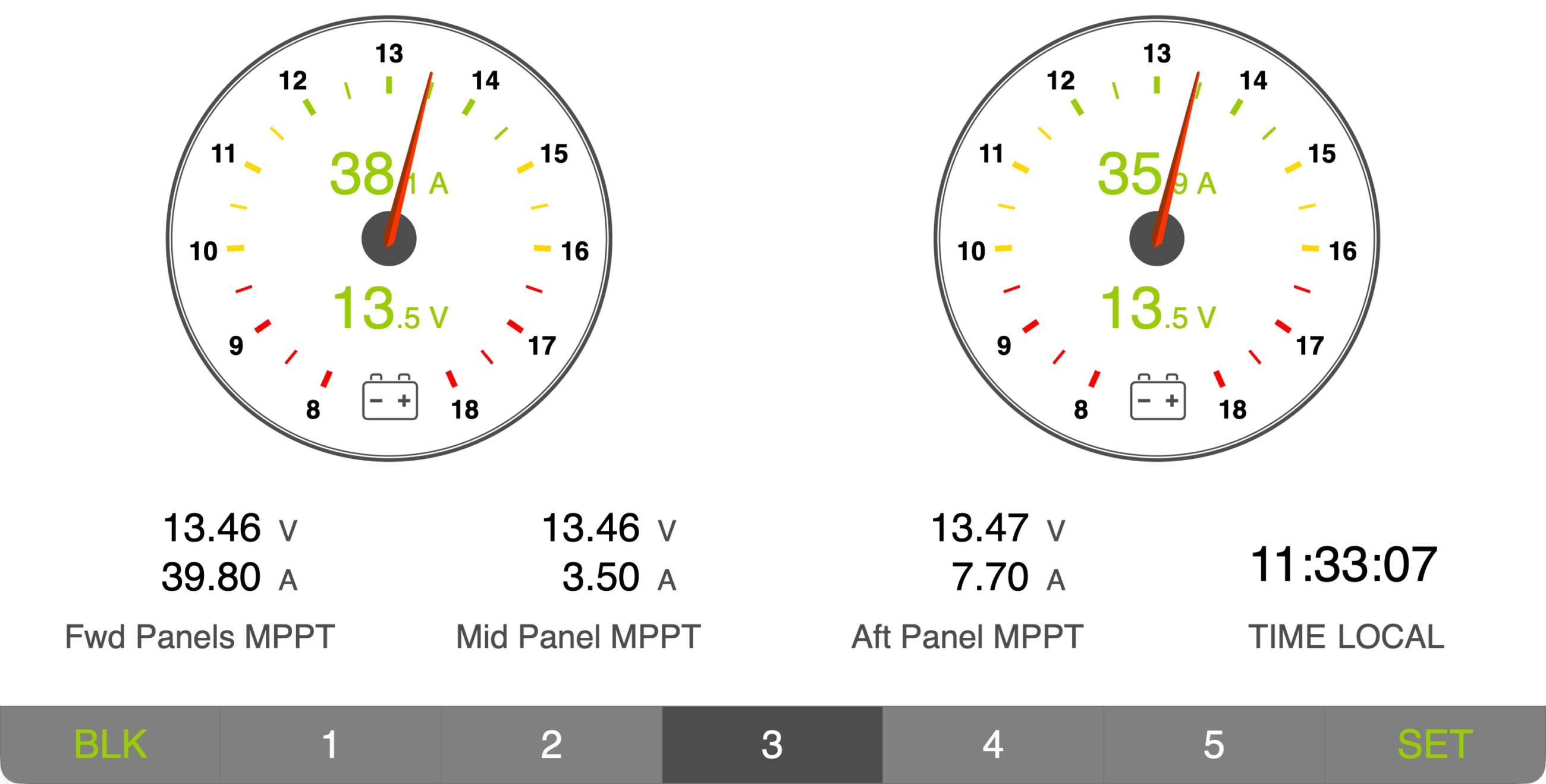
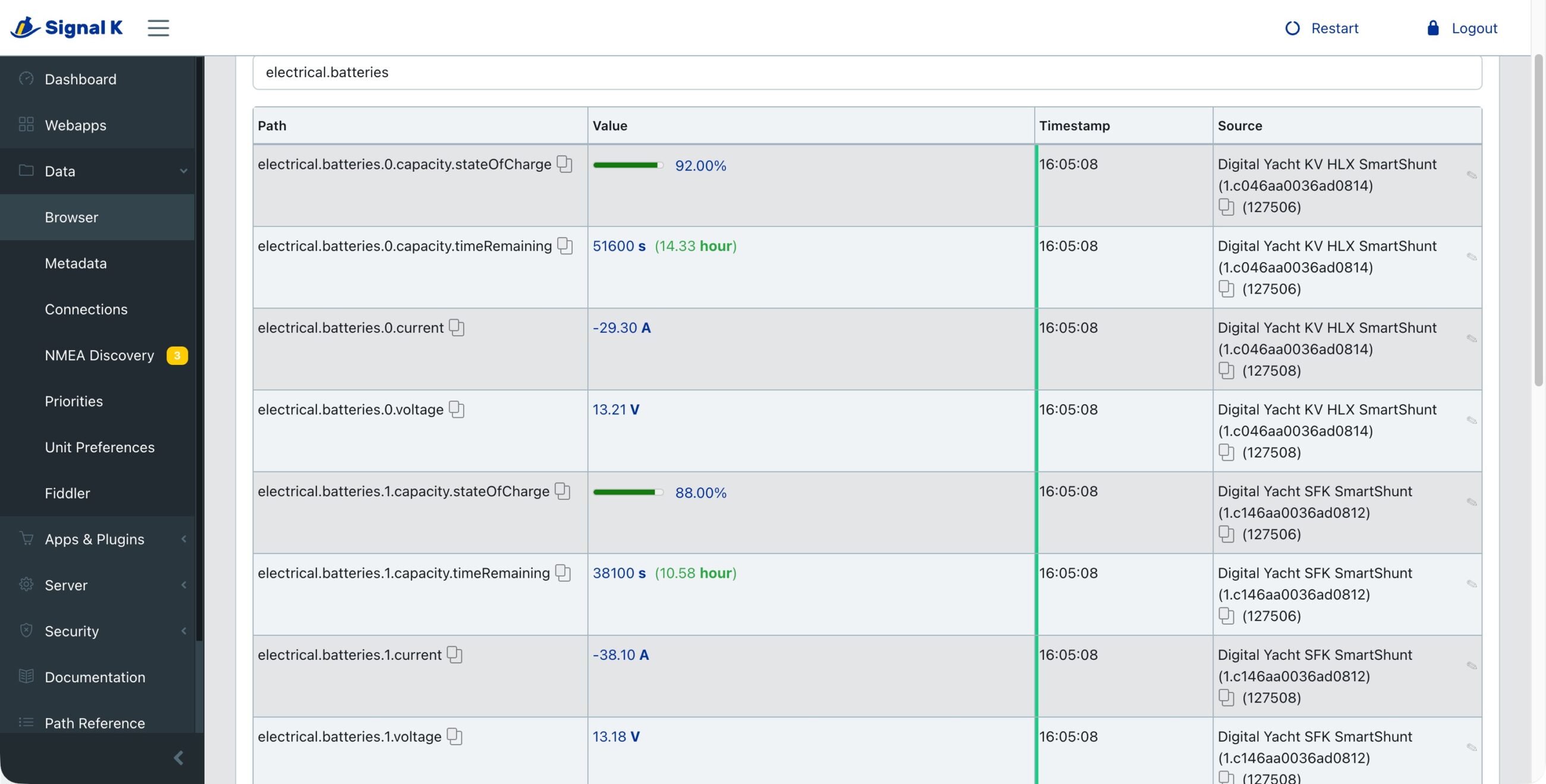
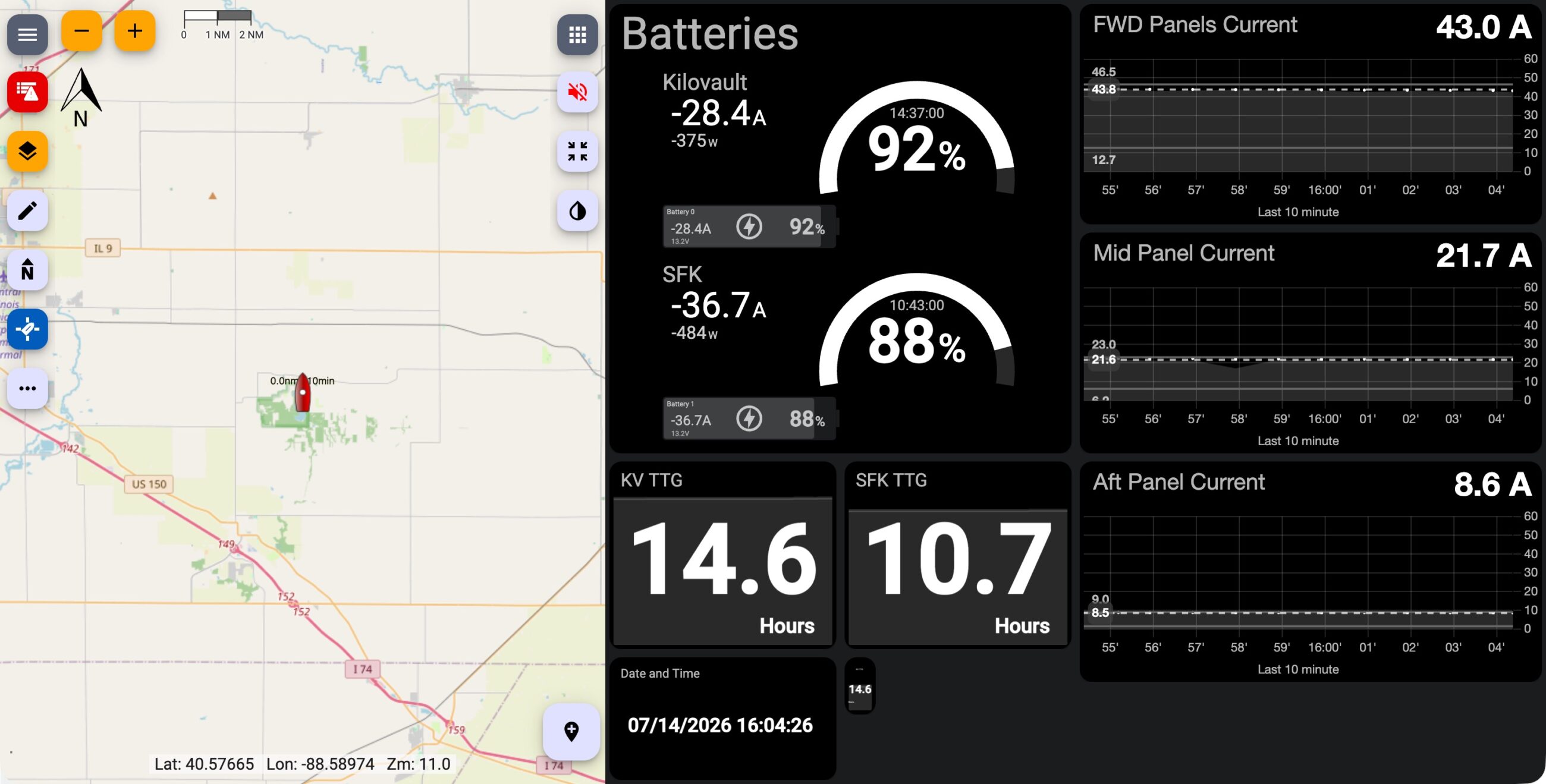
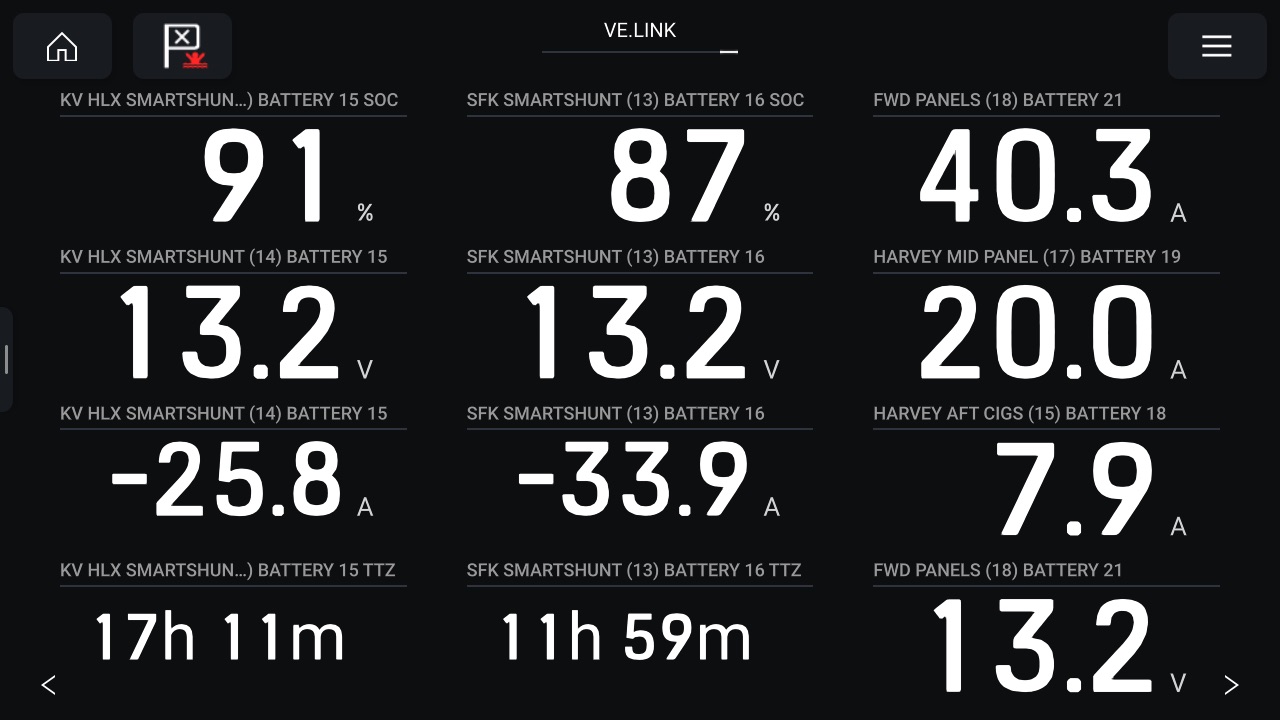
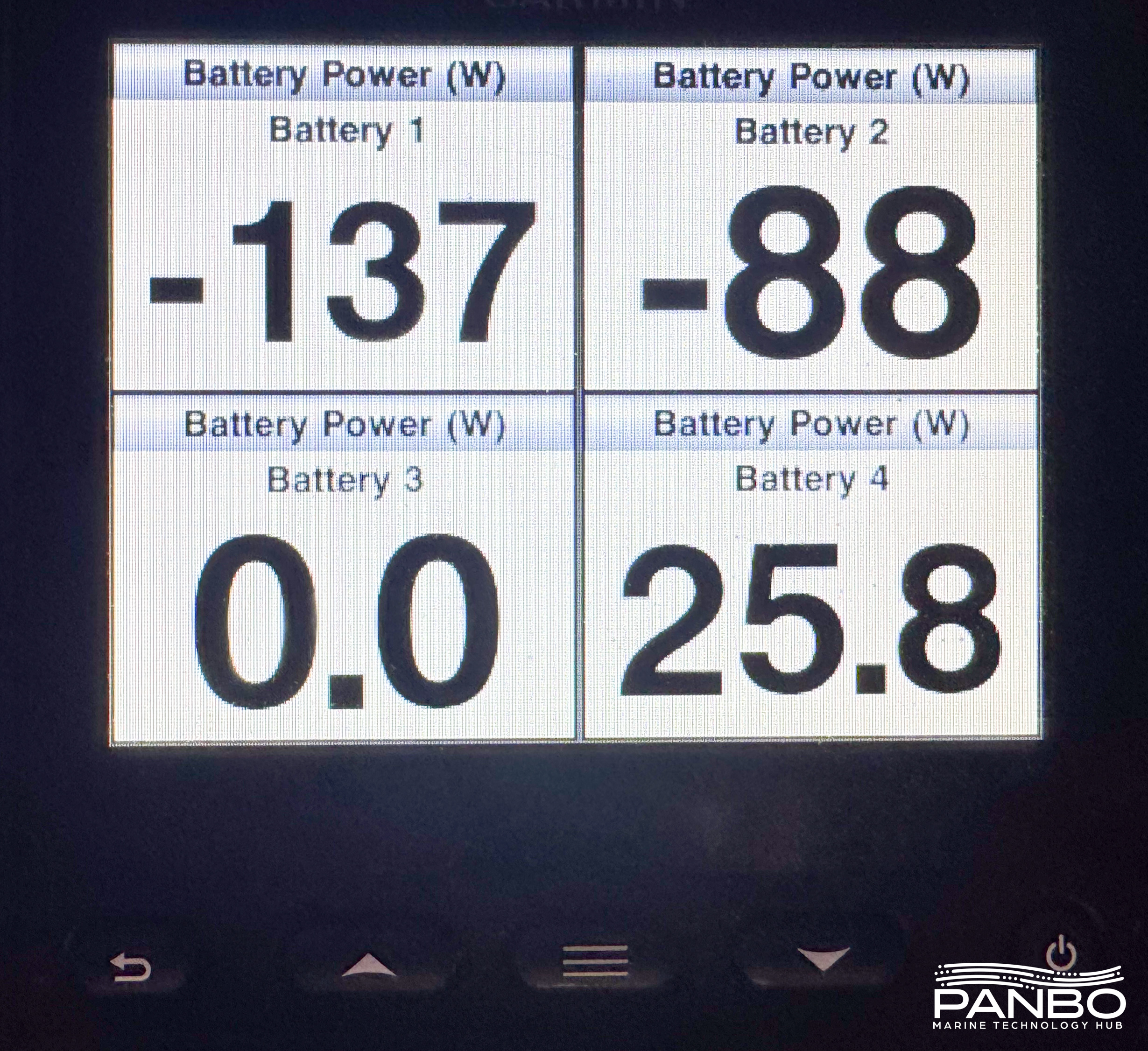
For me, the magic of NMEA 2000 is data ubiquity. One connection brings your data to as many devices as you want. The gallery above shows the data displayed on a Raymarine Axiom+, Garmin GMI-20, Web Gauges on a Yacht Devices YDWG, natively displayed in Signal K Server’s data browser, and in an instrument panel in KIP running on Signal K Server.
NMEA 2000 is mature technology and integrated into many devices. Despite the many benefits that offers, there are still maddening inconsistencies in the way data is displayed. The Yacht Devices Web Gauges don’t display SOC, Garmin’s GMI-20 doesn’t display SOC, or instance names, the Axiom+ and Signal K display everything.
I’ve been using veLink for quite a while and so far data reliability has been rock solid. Once paired to a device, I haven’t had to re-pair at all. Plus, no matter how long I leave it running, it hasn’t dropped a connection or stopped relaying data. Given the wireless link between the veLink and Victron devices, reliability was my greatest concern. However, time has demonstrated that concern was likely misplaced.
NMEA 2000 diagnostics
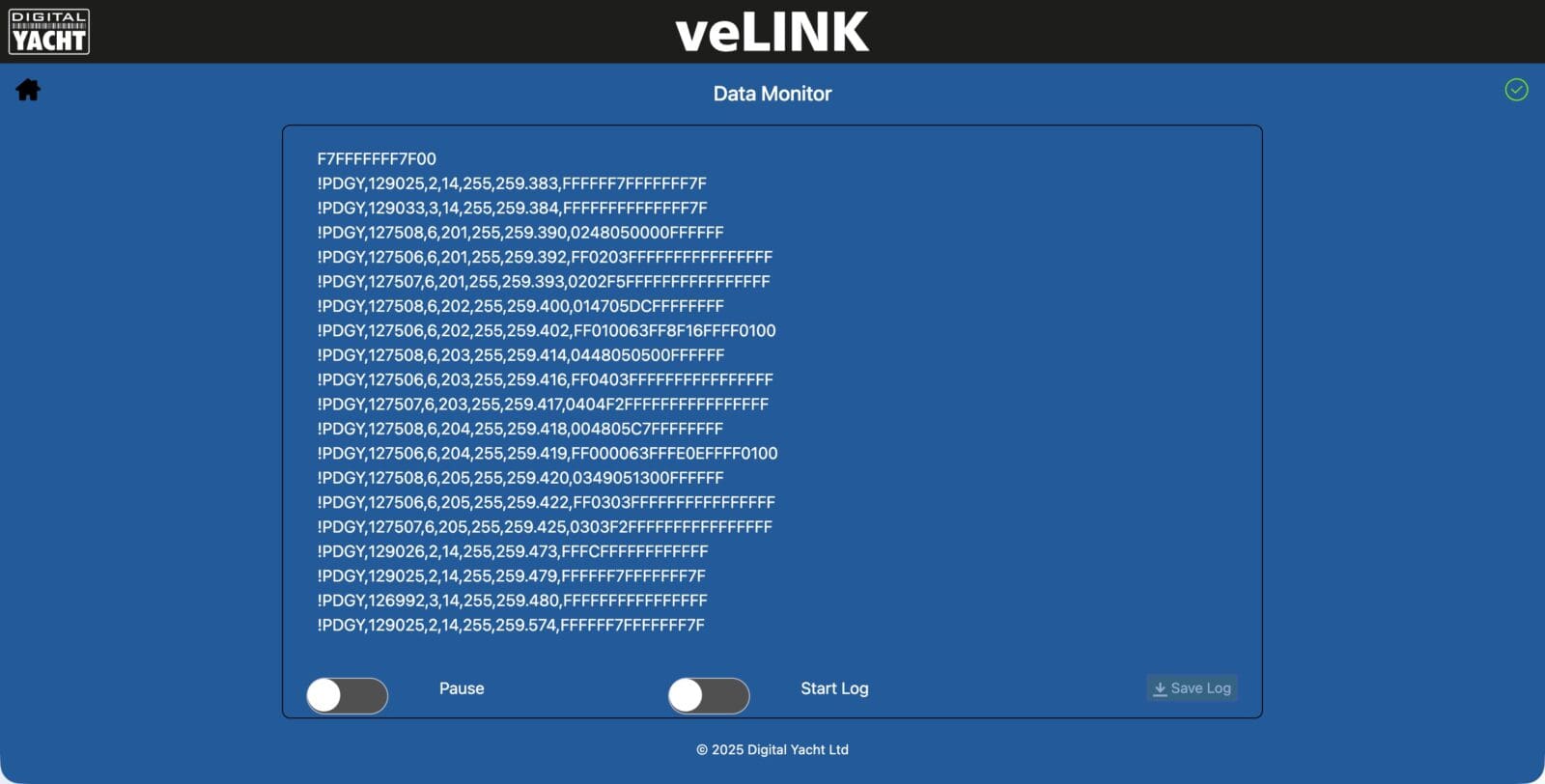
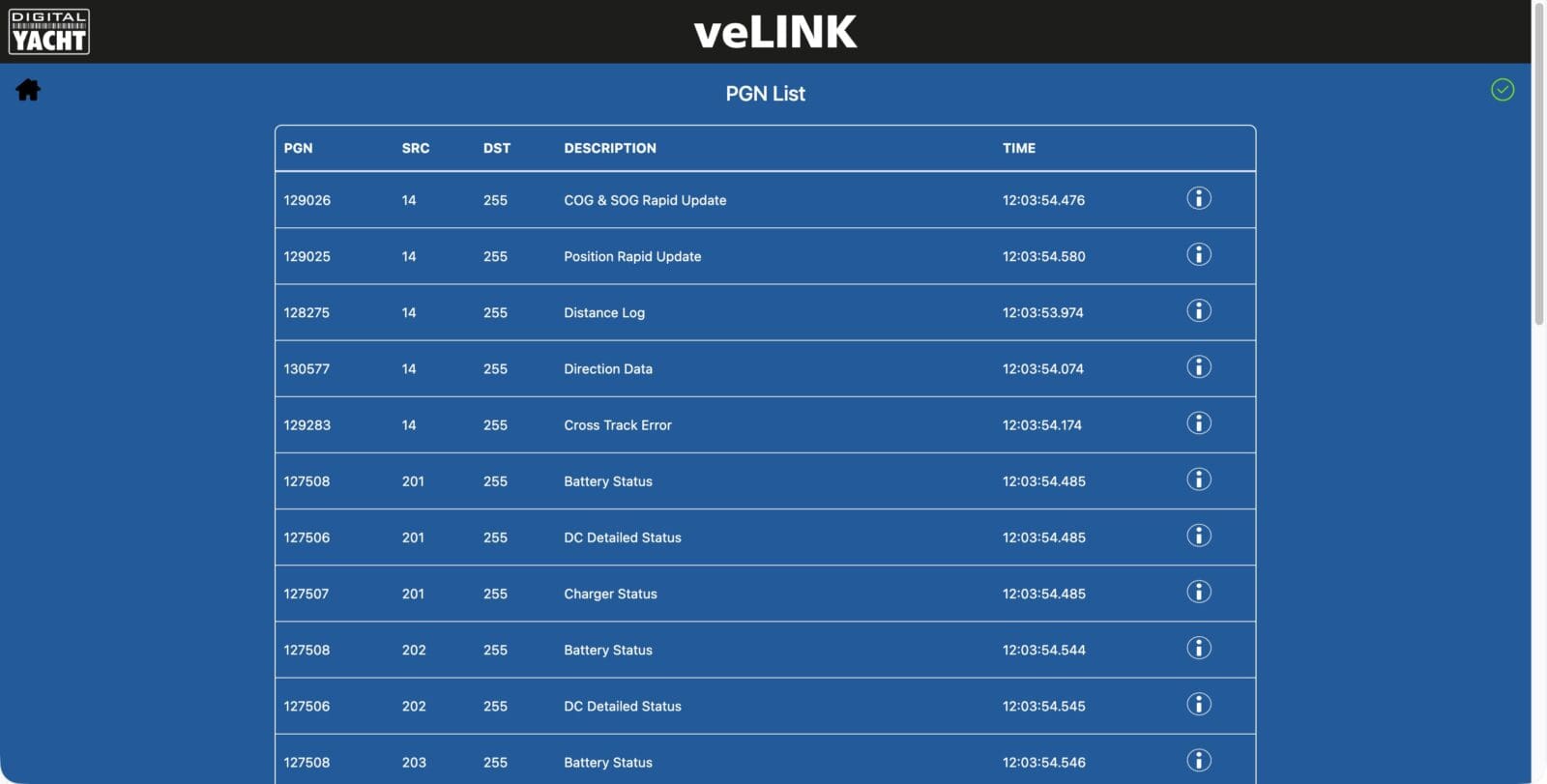
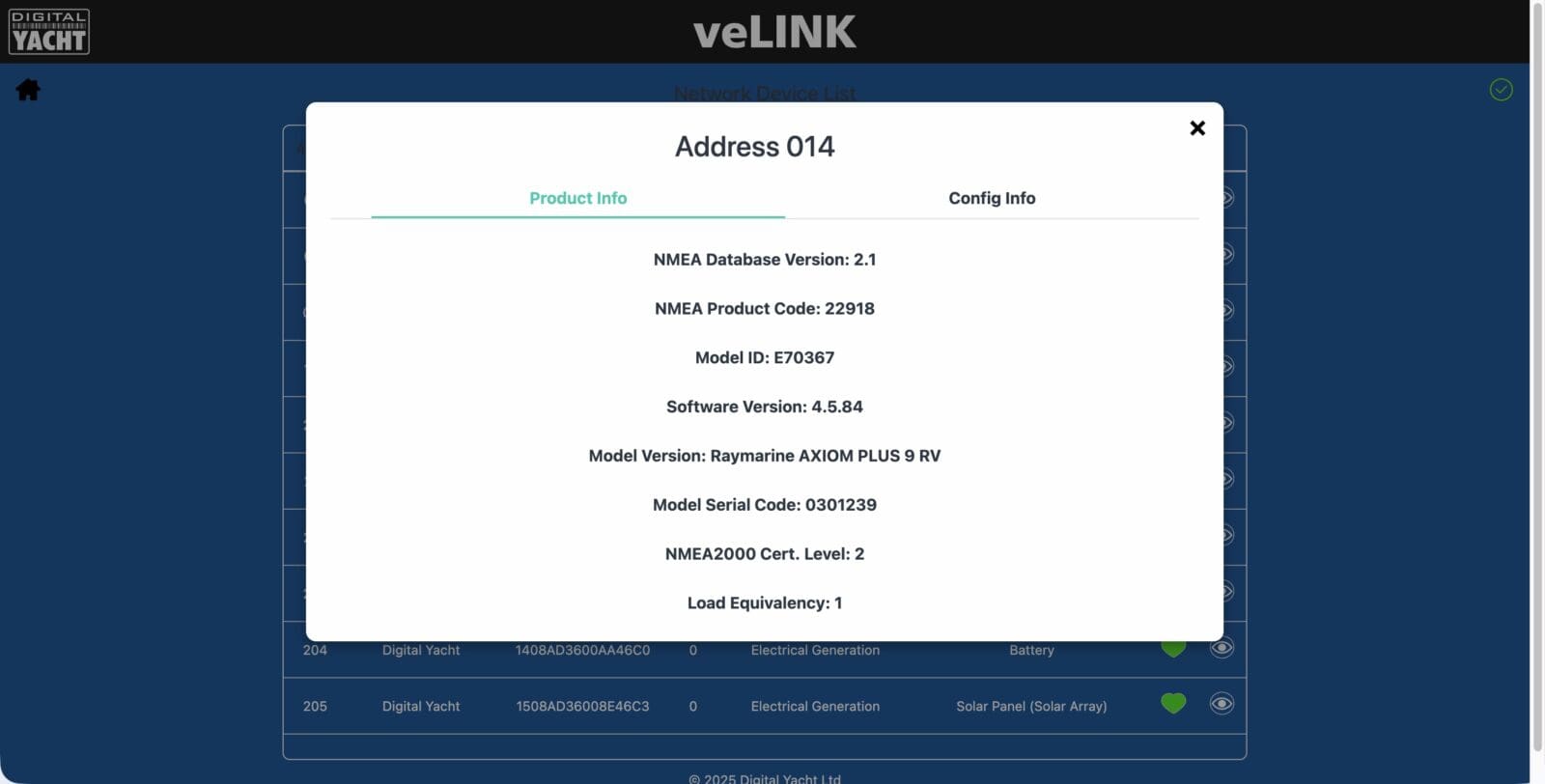
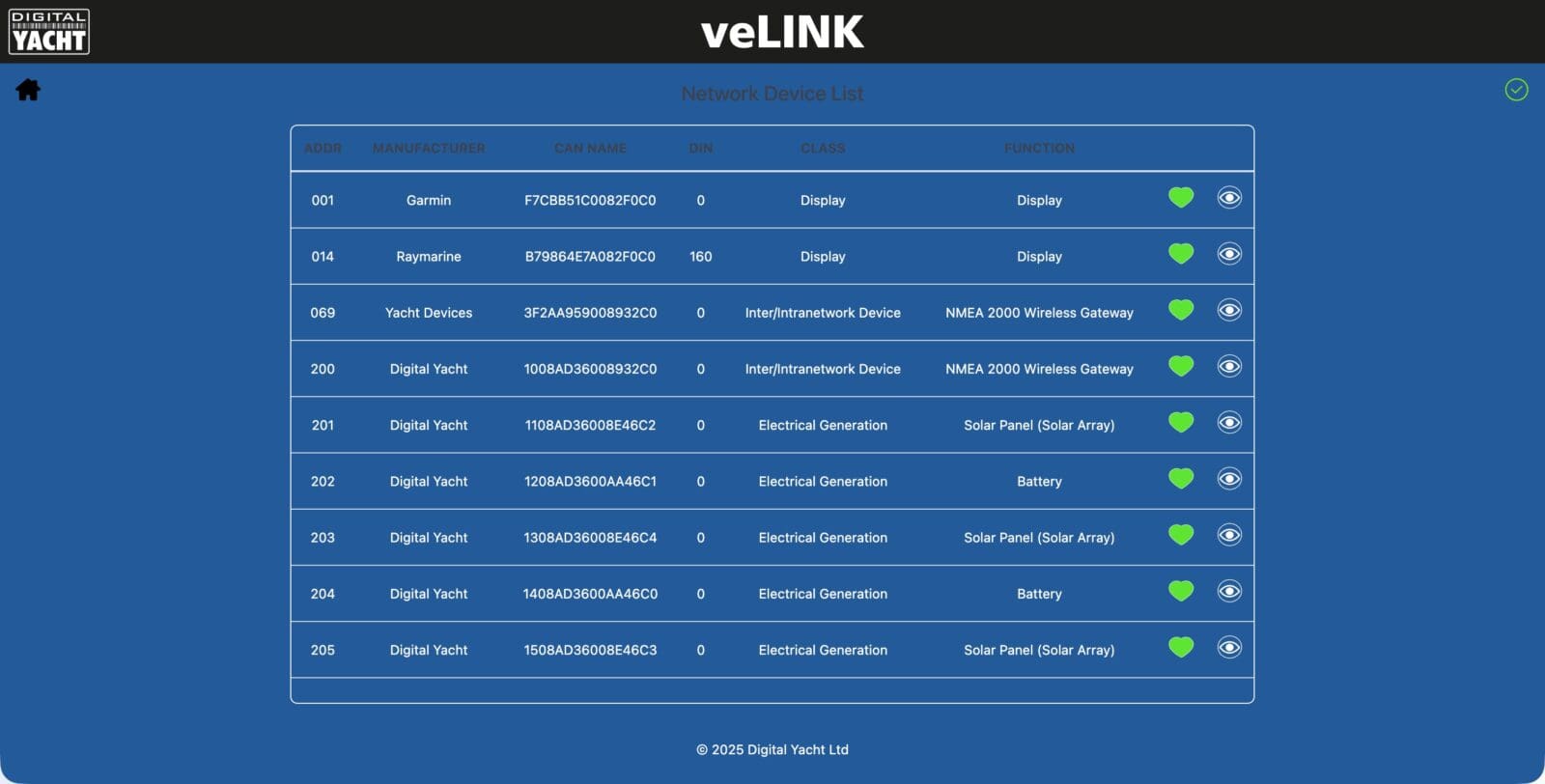
In addition to the core functionality, veLink has a few helpful diagnostic functions under the settings options. Those include a full device list, PGN List, and a real time data view with logging. The data view doesn’t decode PGNs, but you can easily see what PGNs are transmitted and feed it into a decoder to further analyze the data.
Final thoughts
The veLink isn’t for everyone. If you have a more complex system with a GX device already present, it probably isn’t a great fit. If you have just one or two devices, it might not be worth the investment. But, if you fall somewhere in between, I think it’s a perfect choice.
he frustrations I hit — no consumed amp hours, no decimal SOC — are limits of the NMEA 2000 standard, not the veLINK. Digital Yacht can only pass along what the PGNs allow. Even so, based on the reliability I’ve seen, easy instancing, and a clean user interface, the veLINK is a great option. At $299 — and cheaper still once you count the cabling a GX setup would need — it’s easy to justify.



I’ve been using veLink for several months now.
It sends data to a Maretron N2KView.
The PrtSc page displays data from
four MPPT controllers, three smartShunt controllers (two banks and one DC Load), and an Orion XS.
https://www.sailforum.pl/download/file.php?id=152799&t=1
Very nice, though it appears you’ve maxed out this veLink. Any more Victron devices and you’re going to need another!
-Ben S.
veLink solved the problem of addressing Victron devices to Maretron.
Ben: In my opinion, the absolute biggest advantage of a Cerbo or Ekrano is the access to Victron Remote Monitoring (VRM), something that the veLink option does not offer. VRM is a powerful diagnostic and monitoring tool and is a game changer in todays ever more complex electrical system management.
It appears to me that veLink is a solution looking for a problem.
Wow! As I posted in your recent article on upcoming Cerbo models, the single biggest drawback to Cerbo is the insane (and expensive!) cabling requirements — and the more complex your Victron system (and the more value Cerbo then provides), the faster it becomes expensive. While some could say “BT isn’t suitable for mission equipment” I’d say that SOC on your chart plotter isn’t “mission equipment” and that as you have found, it is rock solid. It’s also much cheaper and arguably less susceptible to loose connections than all those cables.
I’ll have to respectfully disagree with Charlie about the game changing benefits of VRM. I can see it is for some, but not for all (and maybe even not for many!). For me, I can’t imagine using it for, well, anything. Of course, I walk down the hill to my boat several times a day. But even if I didn’t see it daily, my boat is mostly “set and forget.” Rarely do I step aboard and say “oh, wow, my battery is almost dead” or “my bilge pump has been going crazy” or anything that VRM would have told me. It would provide peace of mind while away, but generally boats don’t do sideways when you are away.
If Cerbo didn’t have the messy and expensive cables, then veLink might lose some appeal. But it’s mighty appealing as it is! In my personal case, I also need to integrate a WiFi BMS system (ElectroDacus), so veLink won’t work, and I’m leaning hard toward a SignalK server (both Victron BLE and ElectroDacus WiFI can talk to Signal K). (The ElectroDacus adds significant issues — since amps, SOC, etc are all on the ‘Dacus, lot’s of information won’t make it to veLink).
The real time development of Charlie’s comment followed by Harry’s serves to demonstrate the value of veLink in the marketplace as well as the limits of its appeal. Charlie, I agree that on a full Victron install, VRM is an incredible tool. I am less bothered by the price of the Cerbo and cabling than Harry is for those installations. Especially in light of the fact that all expenses are one time and Victron doesn’t charge a thing for the incredible value they deliver with VRM.
That said, there are a ton of installations out there that aren’t pure Victron and might not be the same strength of fit for a GX device and VRM. I’m especially thinking about boats factory equipped with Magnum or Xantrex inverters. Owners add battery monitors, solar, etc, but generally don’t swap their inverter until there is a “lifecycle event” (or they let the magic smoke out). Those might only have a Victron battery monitor and solar charge controller. VRM will still deliver some benefit (and I might well make the investment in a Cerbo) but it is certainly muted. veLink gives options for integrating that data with other control and monitoring systems (like Signal K server, a Maretron suite, or NMEA 2000 connected boat monitor) with the reduced expense in cabling and the reduced effort of not having to get all the cables to the GX device.
If nothing else, Charlie and Harry’s comments serve to show the different ways two people can see the same product. It’s a hit for one and a miss for the other. I still give Digital Yacht kudos for bringing it to market and providing those like Harry who see the value another option.
-Ben S.
What is the VE Link power consumption Ben? The Cerbo’s 4-5W draw adds up to a significant overhead on stored equipment. With winter time solar, the 180W solar panel on my RV was struggling to keep up during the dreary days, despite no other equipment running.
Glyn, I don’t have any actual power draw numbers (Ben should). But, it’s N2K, so it’s going to be pretty small. More importantly, there is probably no reason to have it on when the RV is stored — it simply sends data to some N2K display device, and if you aren’t there to see it, turn off the N2K network entirely (it provides no useful function if you aren’t in the van). But don’t forget that the veLink doesn’t “talk to the world,” a feature that you may be looking for in a stored RV.
veLink draws 500mA / 13.2VBen S. edit:Christopher confirms the veLink draws 50ma @ 13.2v
Digital Yacht rates the veLink with a LEN of 1 on the NMEA 2000 network. Each LEN is 50ma, so I think that number is an order of magnitude off. At 50ma and roughly 13v, it appears the veLink is rated to draw no more than 0.65 watts.
-Ben S.
Sorry, I confirm 50mA I couldn’t edit the post .
No worries, I’ll go edit it.
-Ben S.