
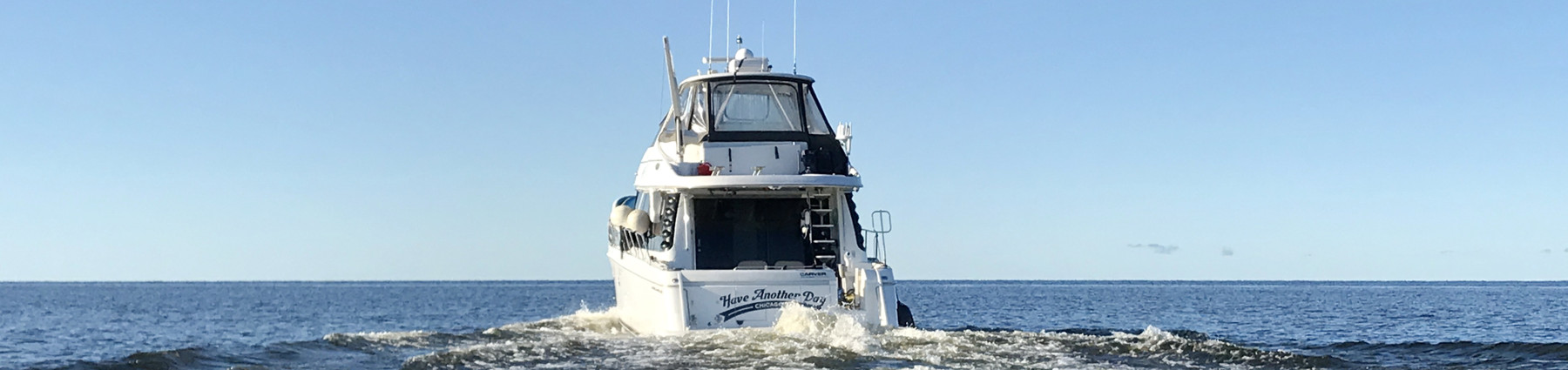
Simrad NSS 4, preliminary on the water testing
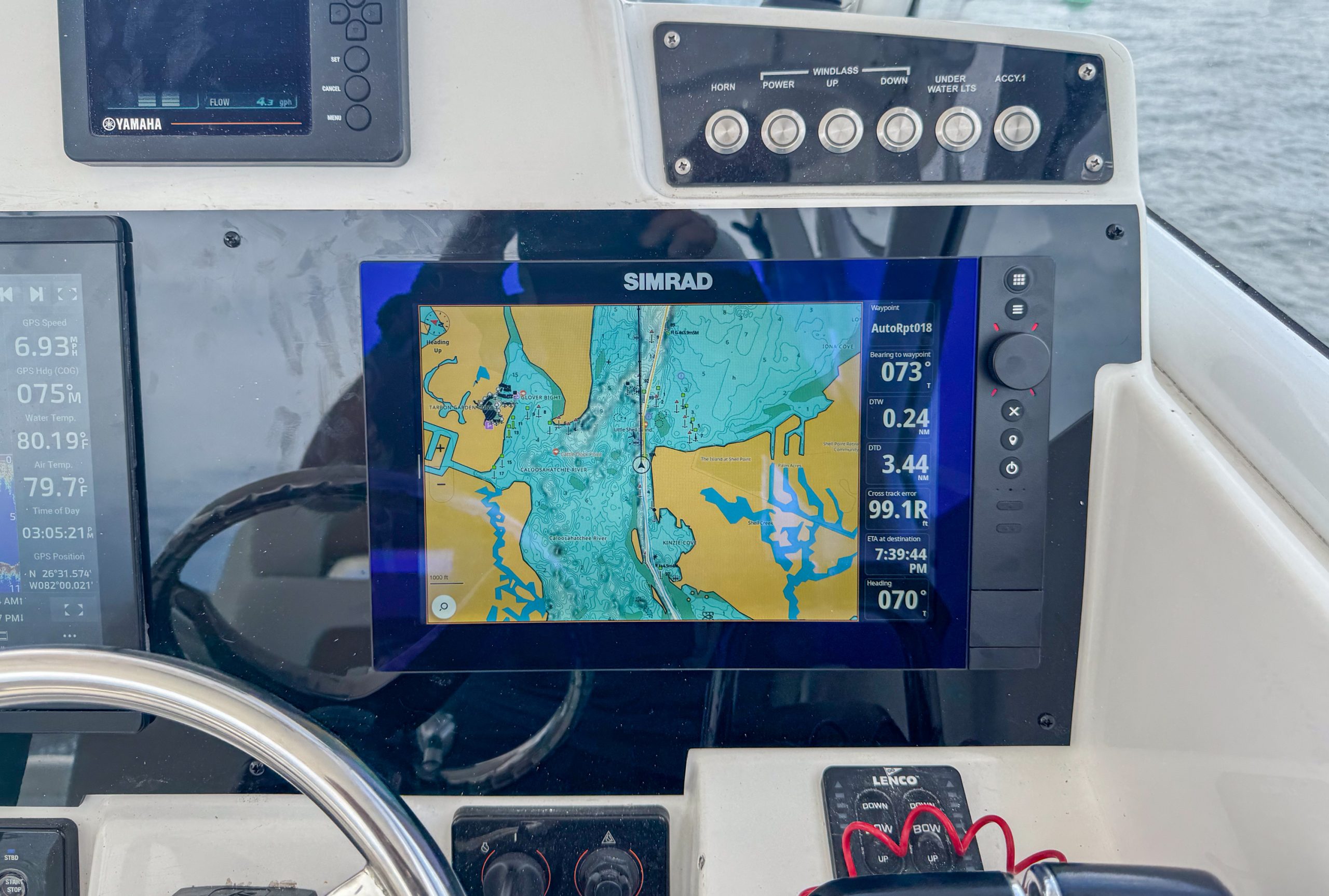
Simrad’s NSS 4 (and Navico stablemate B and G Zeus SR) is the second major installment in Navico’s march towards their new Neon Android based operating system and C-Map X series charts. NSX, the first Navico MFD with Neon showed very well at launch. I am a fan of the visual presentation, new charts, and overall look and feel of the new operating system. So, I’ve anxiously awaited Neon making its way to the rest of Navico’s line. NSS 4 sits atop Simrad’s line and serves as an indication that Navico sees Neon as ready to tackle the biggest of their installs. Now to find out if NSS 4 and Neon back up that belief.
For as much as I liked the presentation and visual appeal of NSX, the system has always felt a bit sluggish. In my initial reviews, I didn’t concentrate on that performance too much because it felt likely it was more of a teething issue than actual performance deficit. Plus, I hurt the performance more by running some development tools to record the screen output. However, even with later software releases, NSX units don’t feel quite as snappy as I would like. Fortunately, NSS 4 and Zeus SR come with no such concerns. In my testing performance has been speedy and dragging around charts happens in real time with no lag.
NSS 4 hardware

I first got my hands on a few NSS 4s and Zeus SRs at MIBS and had the chance to hear about the new models from Navico Product Manager Adam King. Physically, the first thing you will notice about the NSS 4 are the knob and hardware buttons on the right side of the unit enabling hybrid touch. In contrast to previous Simrad NSS models, — and options from Raymarine and Furuno — the NSS 4 can’t be controlled solely by the hardware input controls. Instead, the hardware buttons augment touch control.
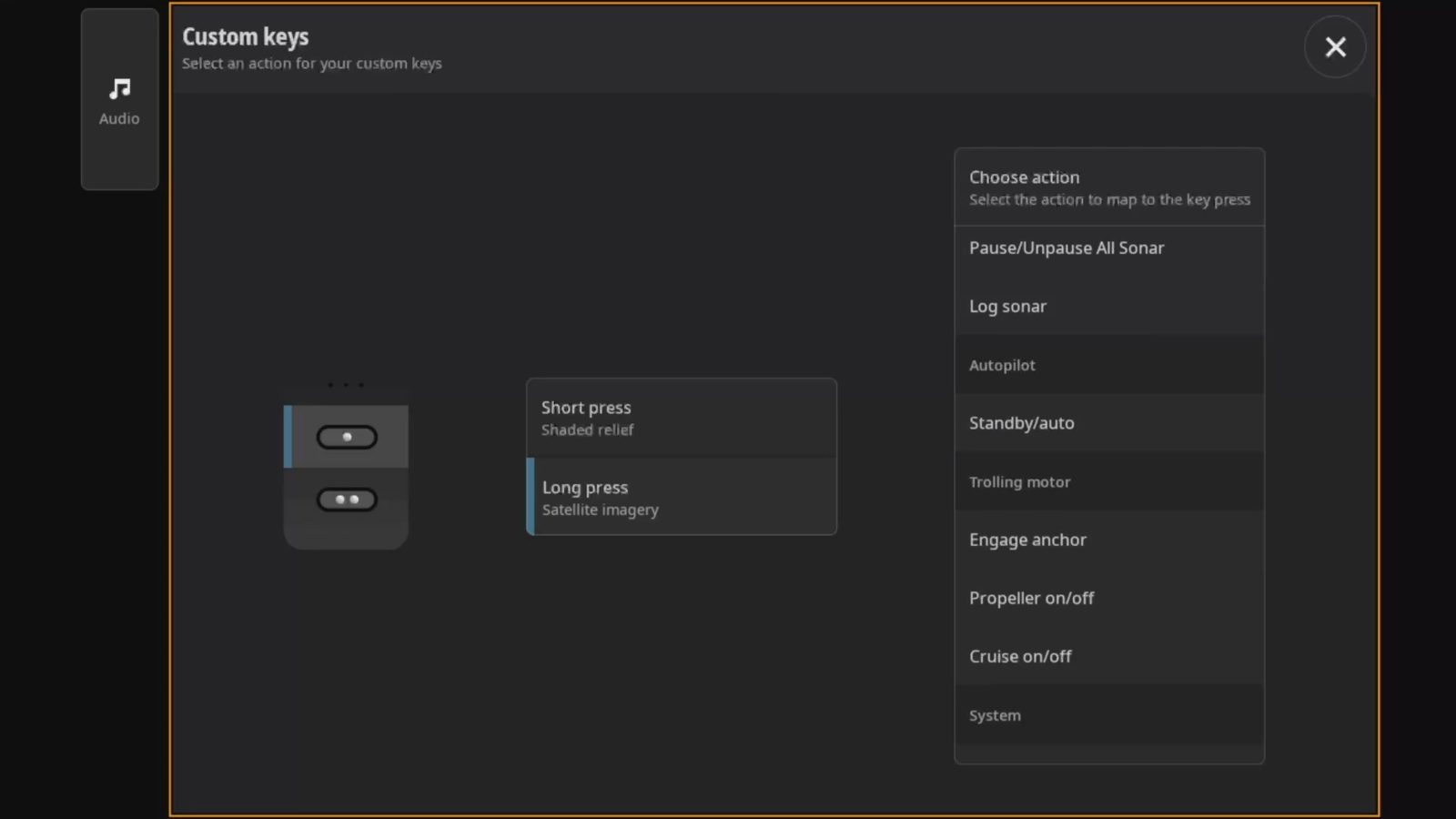
The controls from top to bottom are a home / app launcher button, menu button, rotary wheel, cancel button, waypoint, power, and two assignable custom keys. The rotary wheel scrolls through lists and adjusts zoom scale within apps. Simrad mentioned that in their research of usage, they found very few boaters try to fully control a touch screen chart plotter with the hardware inputs. Rather, they’re looking for easier ways to do certain tasks when their fingers are wet and fishy or when the conditions are rough.
Models and options
NSS 4 and Zeus SR displays are currently available in 10, 12, and 16 inch display sizes. Each size can be purchased with a sonar module and C-Map Discover charts or with no sonar and a basemap. The 10-inch units are $2,600 without sonar or C-Map charts and $2,900 with both. The 12-inch plotters are $3,800 without sonar and charts or $4,200 with the options. Lastly, the 16-inch models are $5,800 and $6,200 respectively. Clearly, the thinking is that if you might mix a fully equipped model with others without sonar and charts. This avoids paying for multiple copies of the charts and sonar sounders that will sit idle.
The 16-inch chart plotters use 1920×1080 pixel displays at 1200 nits. Both the 10 and 12 inch plotters employ 1280×800, 1200 nit displays. Display resolution is an interesting topic. For flagship products, I’m a little surprised to see less than full HD (1920×1080) resolutions on the smaller displays. Although I’d like to see more resolution, I will say that I haven’t noticed the lack of resolution in on-the-water use.
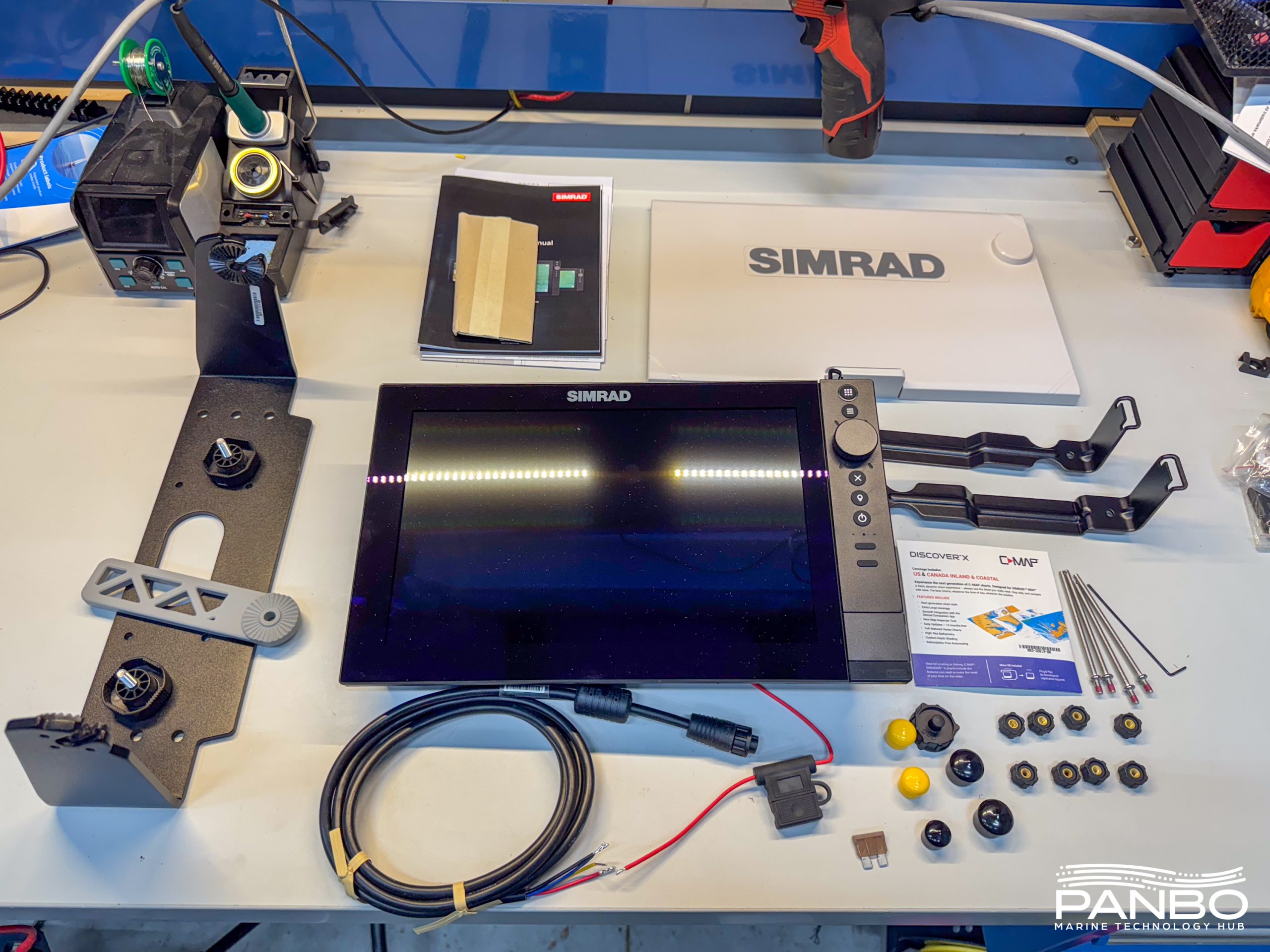
My 12-inch test unit came with both bracket and flush mount brackets, a suncover, power cord and fuse, and mounting hardware. The mounting brackets utilize studs screwed into the back of the display and then thumb nuts to hold the brackets onto the studs. This style of mounting does require rear access in order to secure the thumb nuts.
Connectivity
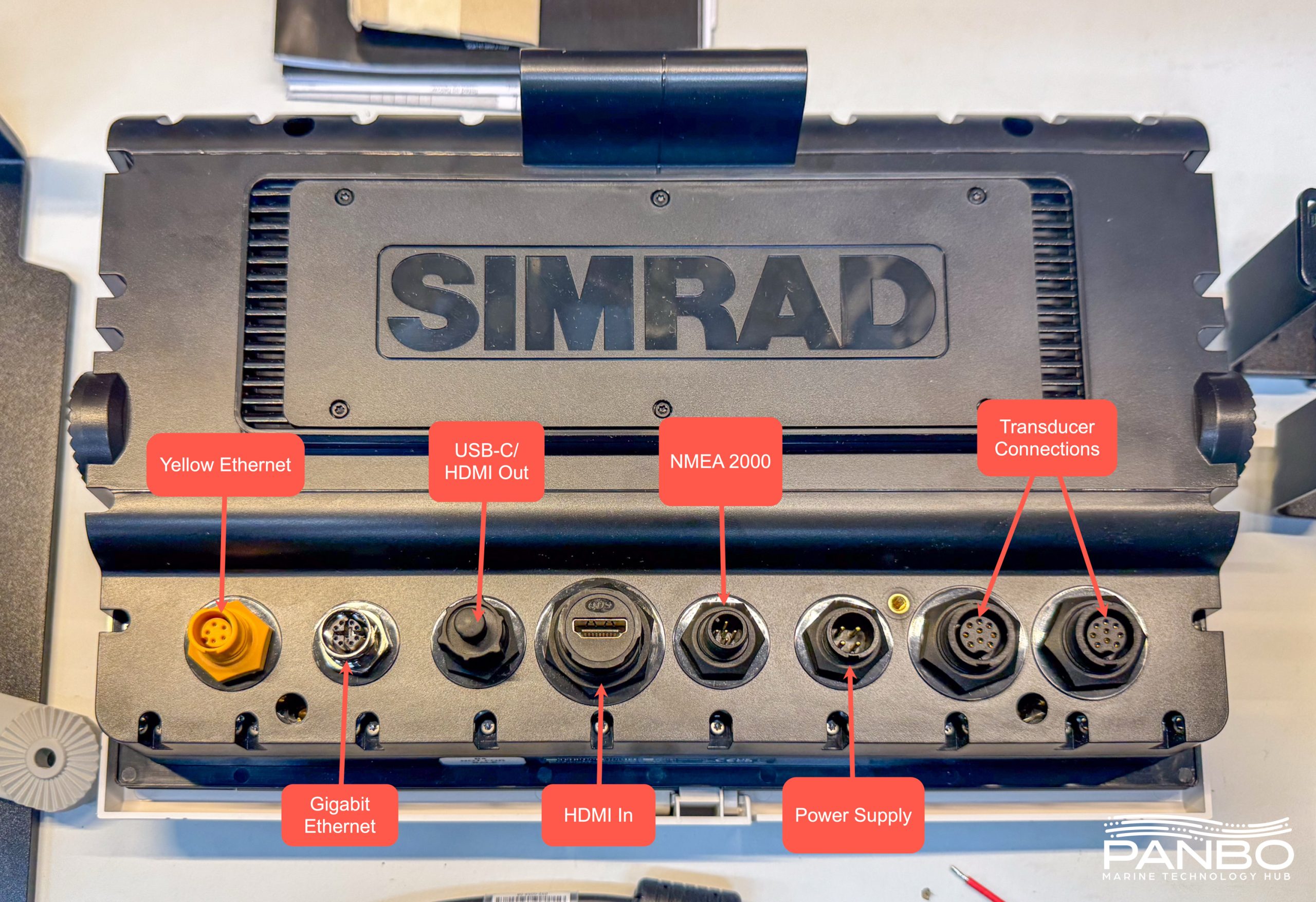
All three displays sizes offer pretty robust connectivity. However, the 10-inch model omits the USB-C port and with it the ability to output video. The larger two screen size models output video via a USB-C to HDMI adapter. All screen sizes have HDMI inputs, but without a USB-C port on the 10-inch, there isn’t a way to transmit touch to the source as can be done with other sizes.
All three screen sizes have Simrad’s legacy 5-pin 100 megabit Ethernet as well as an M12 X-Coded gigabit Ethernet port. The M12 X-Coded interface matches the connector utilized by NMEA’s OneNet but the chart plotters aren’t OneNet certified as of now. Continuing to the right on the backside of the units, we see a NMEA 2000 interface, power connection and two transducer connections.
Each transducer interface supports up to 1 kilowatt transmit power with one port designated as the sonar port and the other as the imaging port. The internal sounders support Chirp, downscan, and sidescan. NSS 4 also integrates wth Simrad’s S3100 and S5100 network sonar modules for additional sonar capabilities and performance.
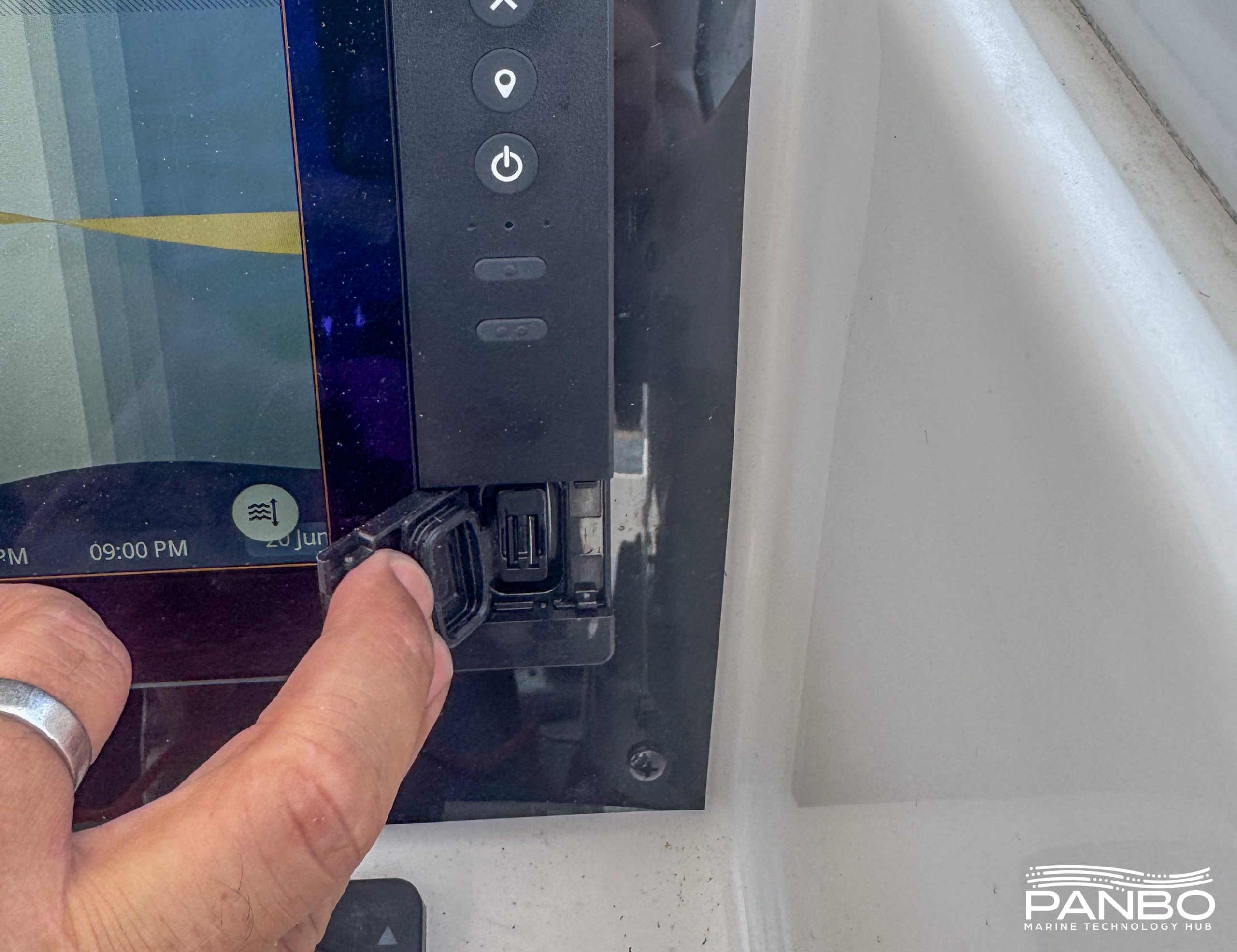
The sleek look of many modern chart plotters results in no front access to MicroSD cards. For many, that isn’t a huge issue. But, if you swap cards a lot — as I do for screenshots — crawling around to the back gets old quickly. Pleasingly, the NSS 4 retains front card access and a dual slot reader. There is a robust gasket to help ensure water stays out of the slots.
Charts
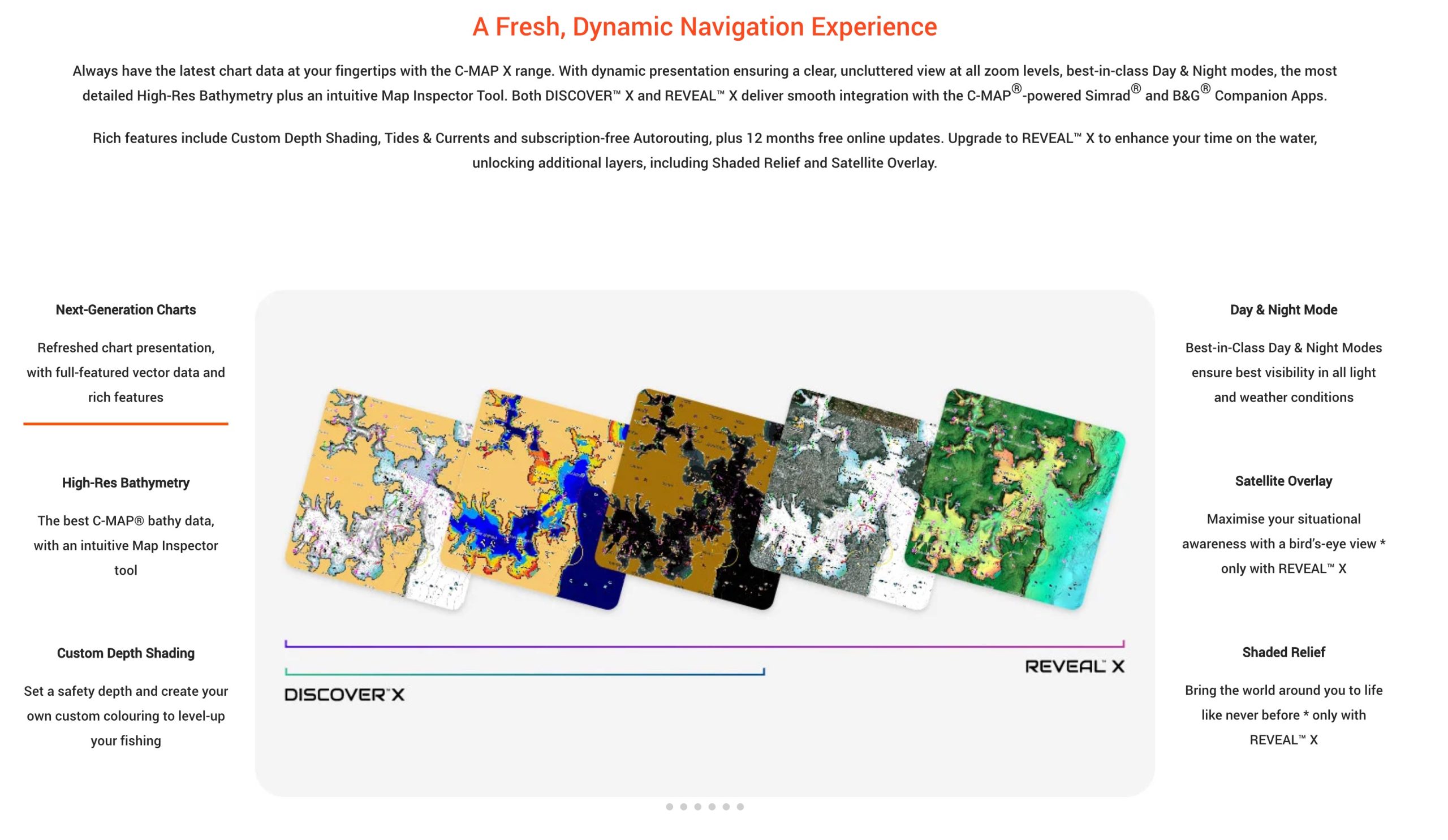
NSS 4, Zeus SR, and all other Neon based chartplotters exclusively use C-Map’s X generation of charts. As mentioned above, the chart plotters can be purchased with or without Discover X charts. Anglers may choose to opt for Reveal X charts and their included satellite overlays and shaded relief.
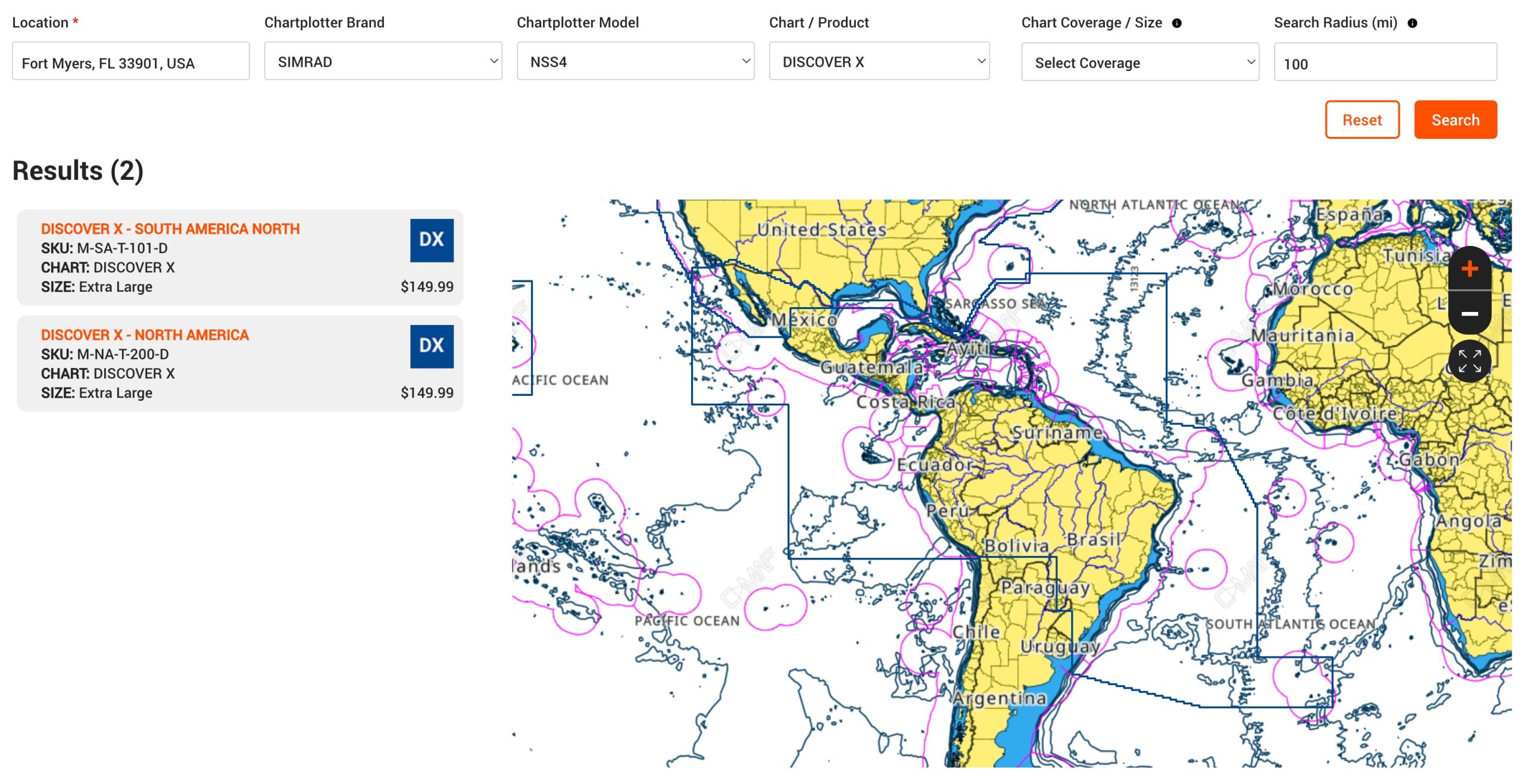
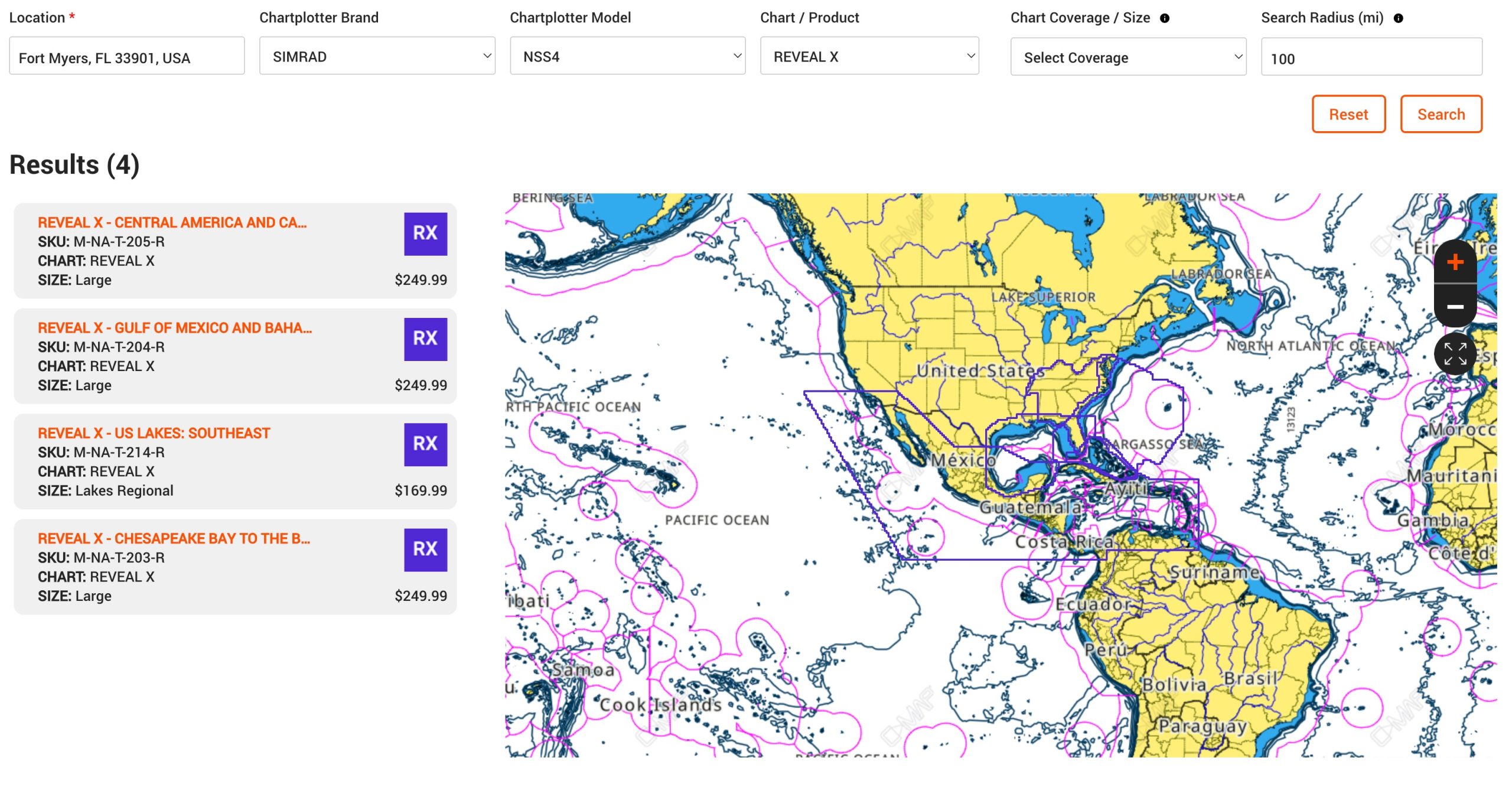
Discover X charts cover all of North or South America for $149, or can be purchased bundled with Neon hardware. Reveal X charts, due to their size, are offered in smaller geographic areas for $249 per area.
On the water
Testing the NSS 4 has been slower than I would like. I broke my arm while working on the install of the NSS 4. Progress has been slow since then to get the unit fully integrated. In fact, I still need to install a Navico radar and compatible transducer. Thus, this initial installment concentrates more on charting, navigation, instrumentation, and overall system functionality.
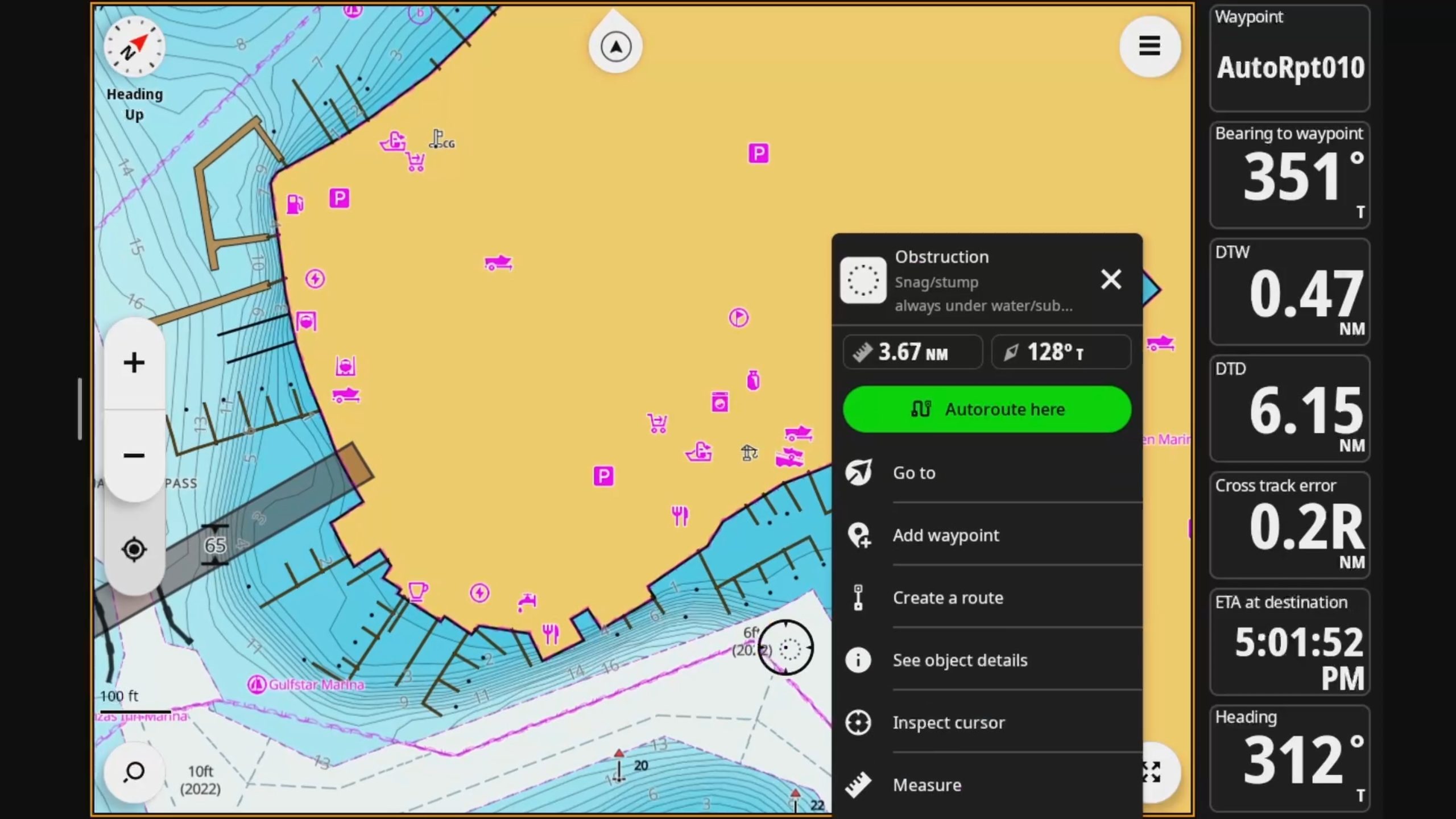
NSS 4 echoes many of my experiences with NSX units, but faster. The overall presentation is visually appealing and most of the functionality is intuitive. Navico has tweaked quite a few menus to place controls where you would expect. For example, a prominent “Autoroute here” button now sits atop the context menu when you click on the chart. If that isn’t the action you’re after, the rest of the context menu remains and allow quick selection of other actions.
Autorouting
NSS 4’s auto routing is fast. I think quite a bit faster than what I experienced on NSX. I’m always a little leery of automatic routes and a few of the routes I’ve seen on the NSS 4 demonstrate why. The routes are a great tool for quick planning purposes, to check distances between points, and get an idea of the path. However, those routes often contain small details that could be expensive if followed too closely. That said, I love the ability to quickly toggle between automatic and manual routing on individual legs. Overall, I find the process of editing routes on NSS and Neon more intuitive than any other chart plotter and operating system I’ve used.
Safety alerts
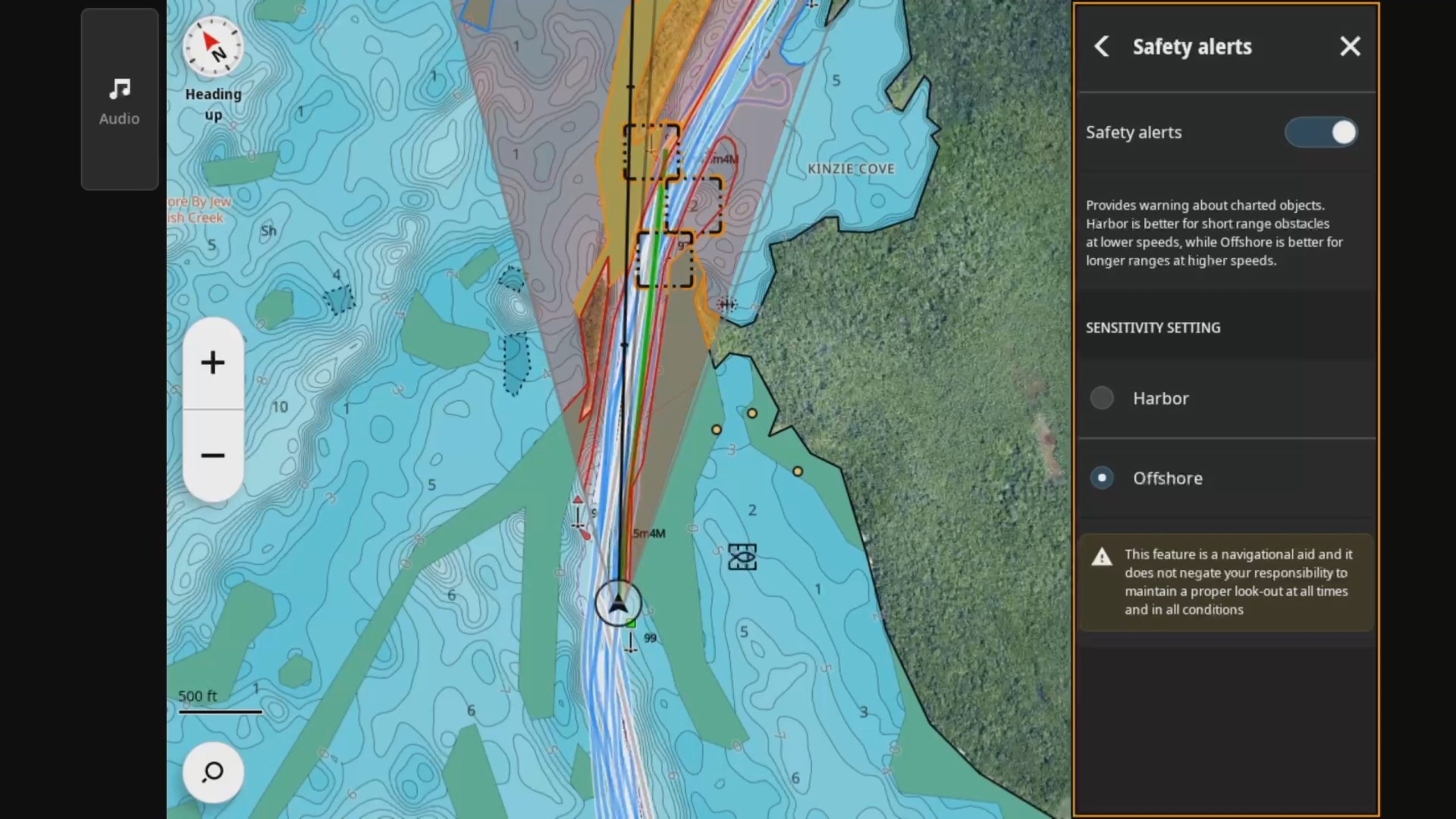
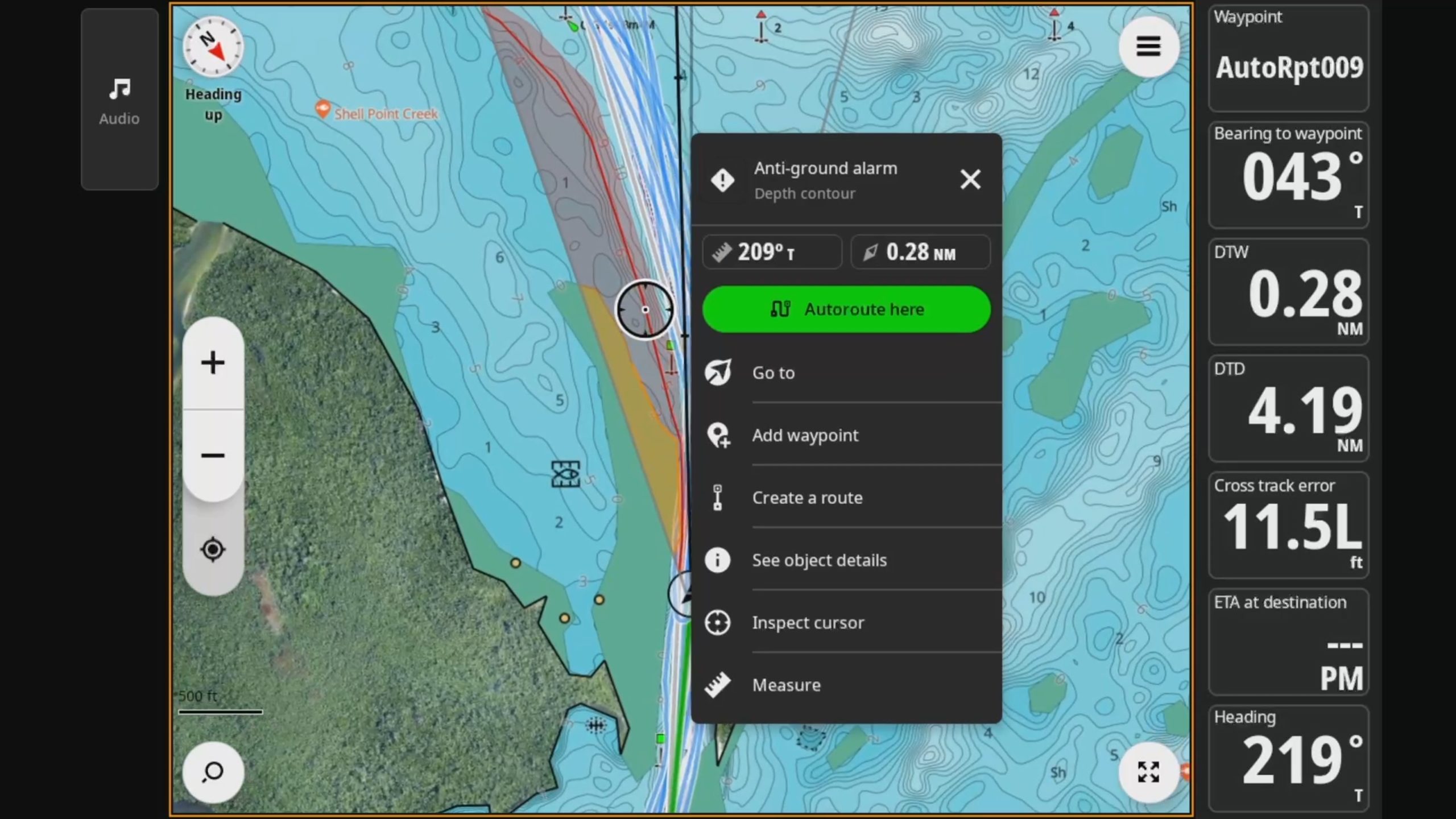
Navico first introduced Safety alerts on the NSX’s B&G sibling Zeus S. Safety alerts notify the operator if chart features or detected targets represent a grounding or collision risk. There are two settings, harbor and offshore, that adjust the range and sensitivity. Harbor reduces the sensitivity to avoid overwhelming the operator with alerts. In my near shore and ICW running, I’ve found harbor is a good fit.
Track logging, display, and heat trails
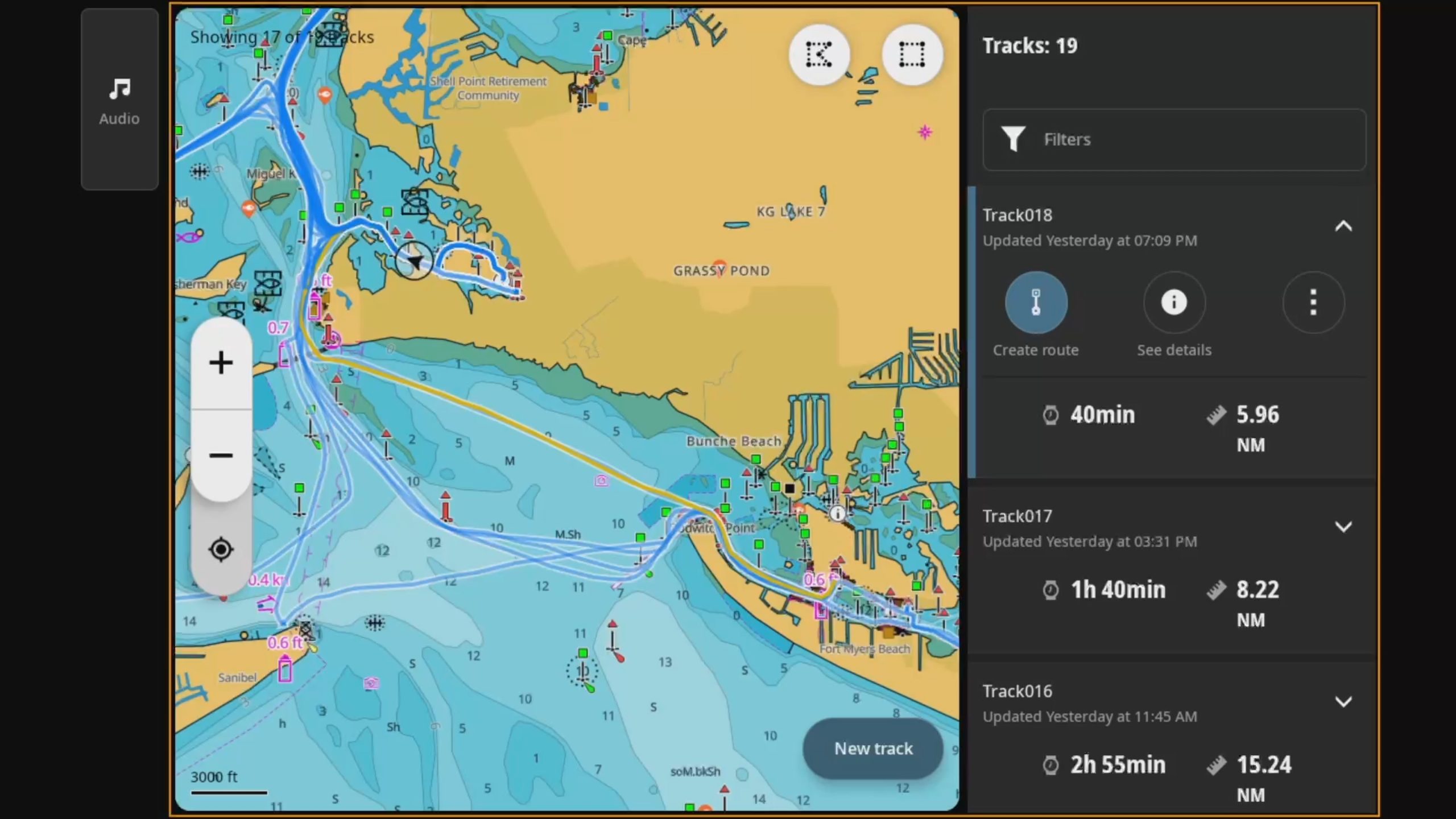
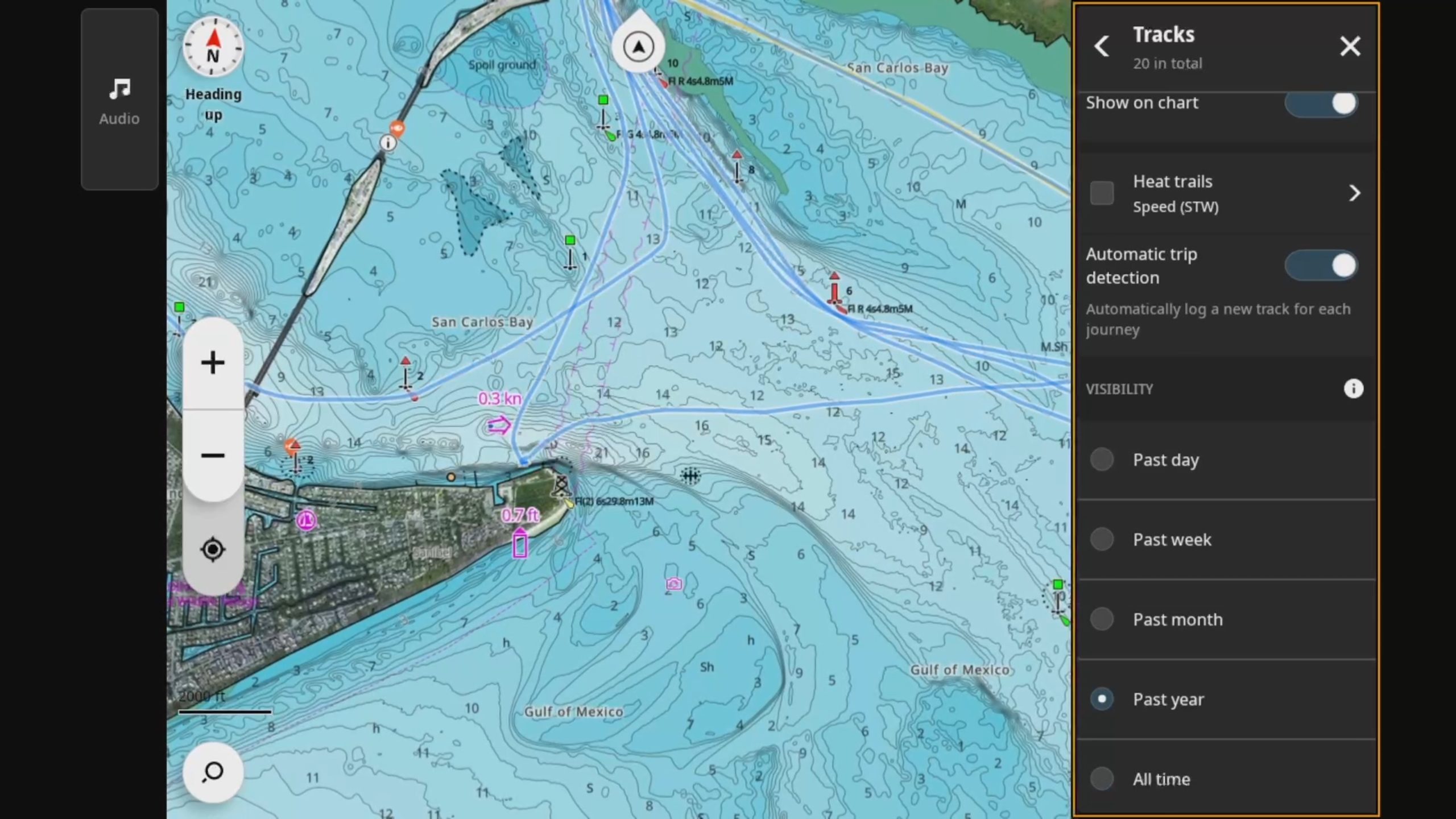
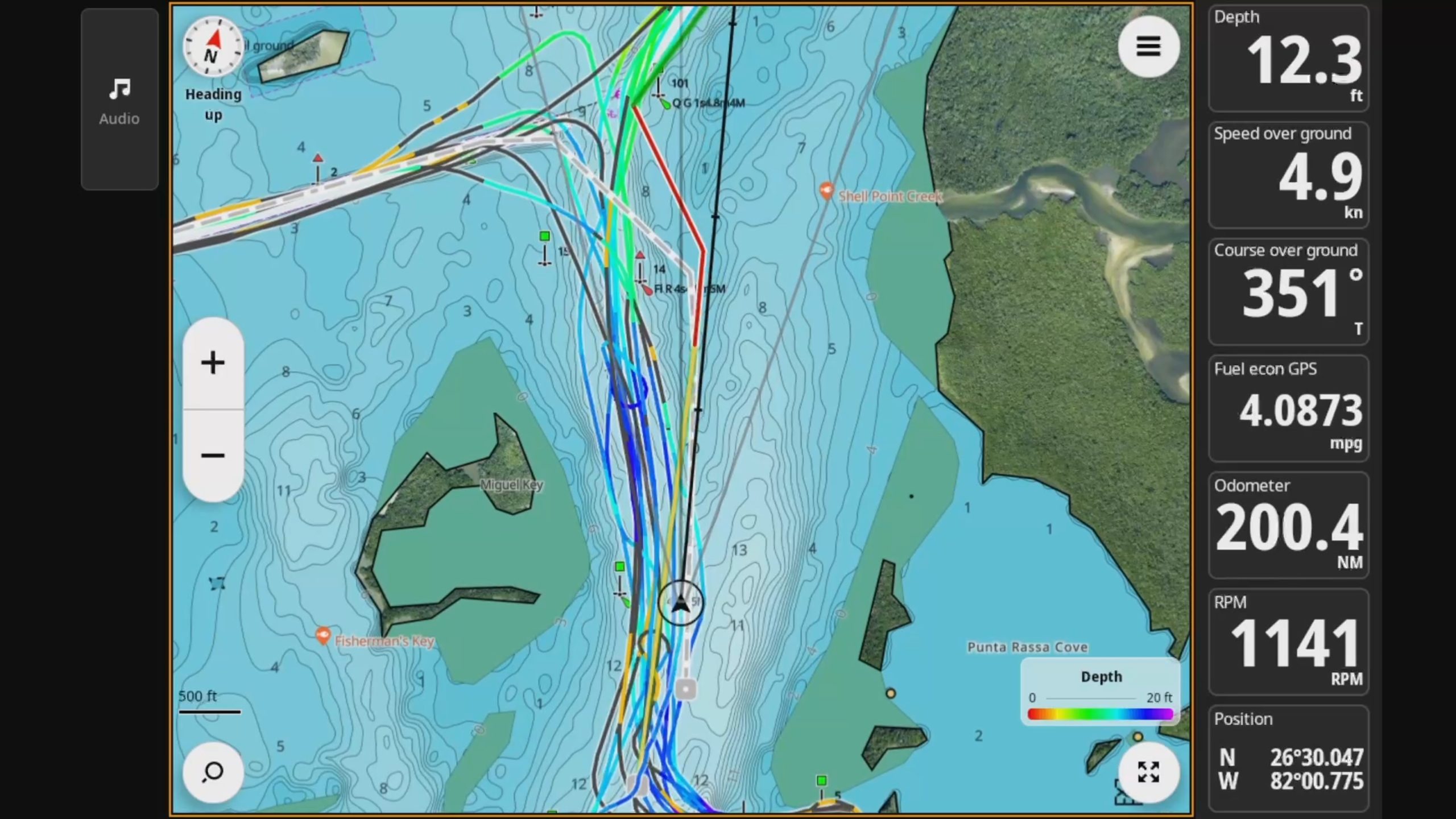
My NSX writeup noted that Neon lacked the in depth trip logging features of NOS’ Trip Intel. It is nice to see Navico’s progress developing the tracks function. Overall, there are still elements of Trip Intel I miss, but the new tracks functionality is looking good. It automatically logs a day’s voyage(s) into a track and saves it. Chart options allow the user to choose to display tracks from the past day, week, month, year, or all time.
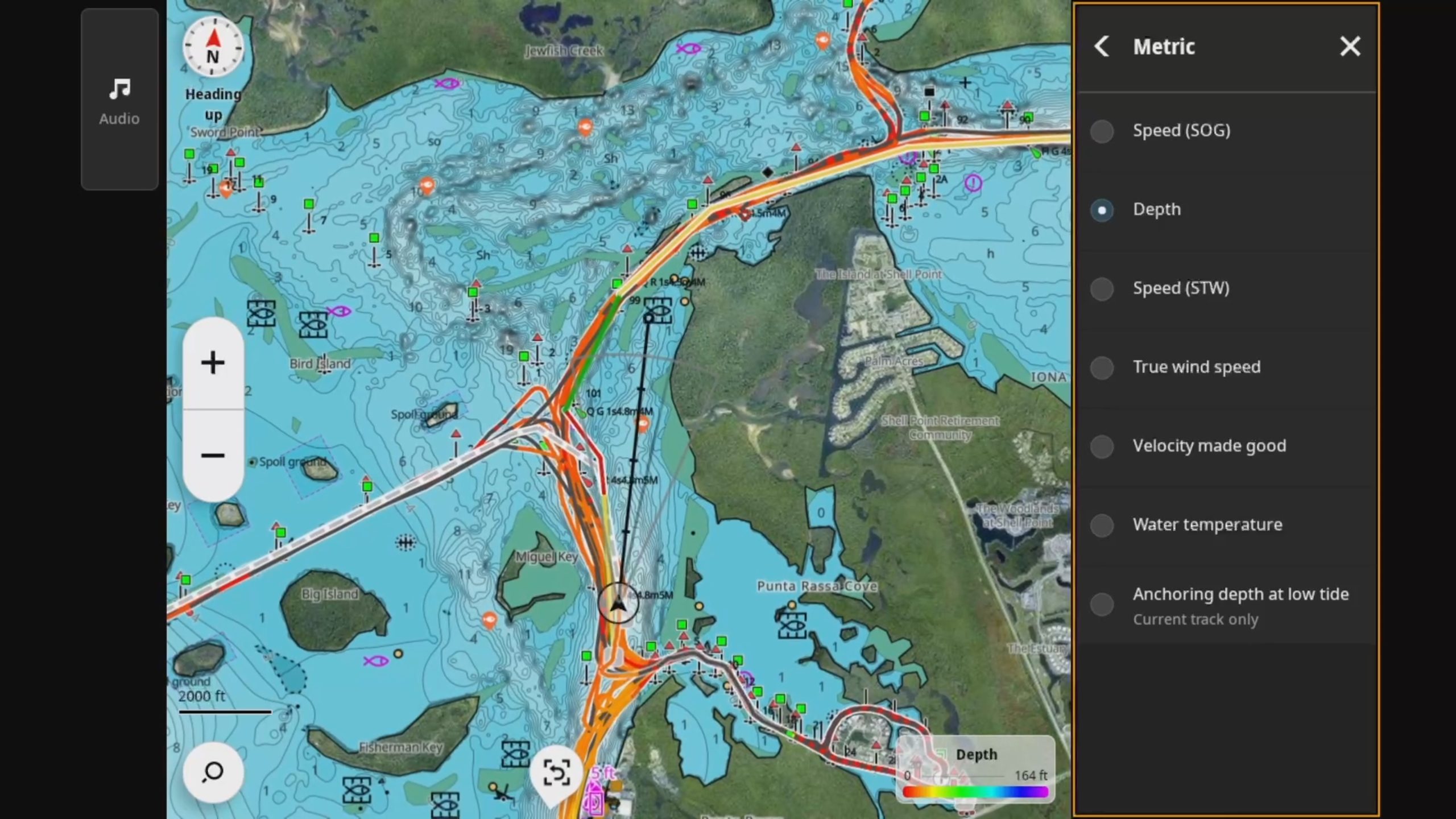
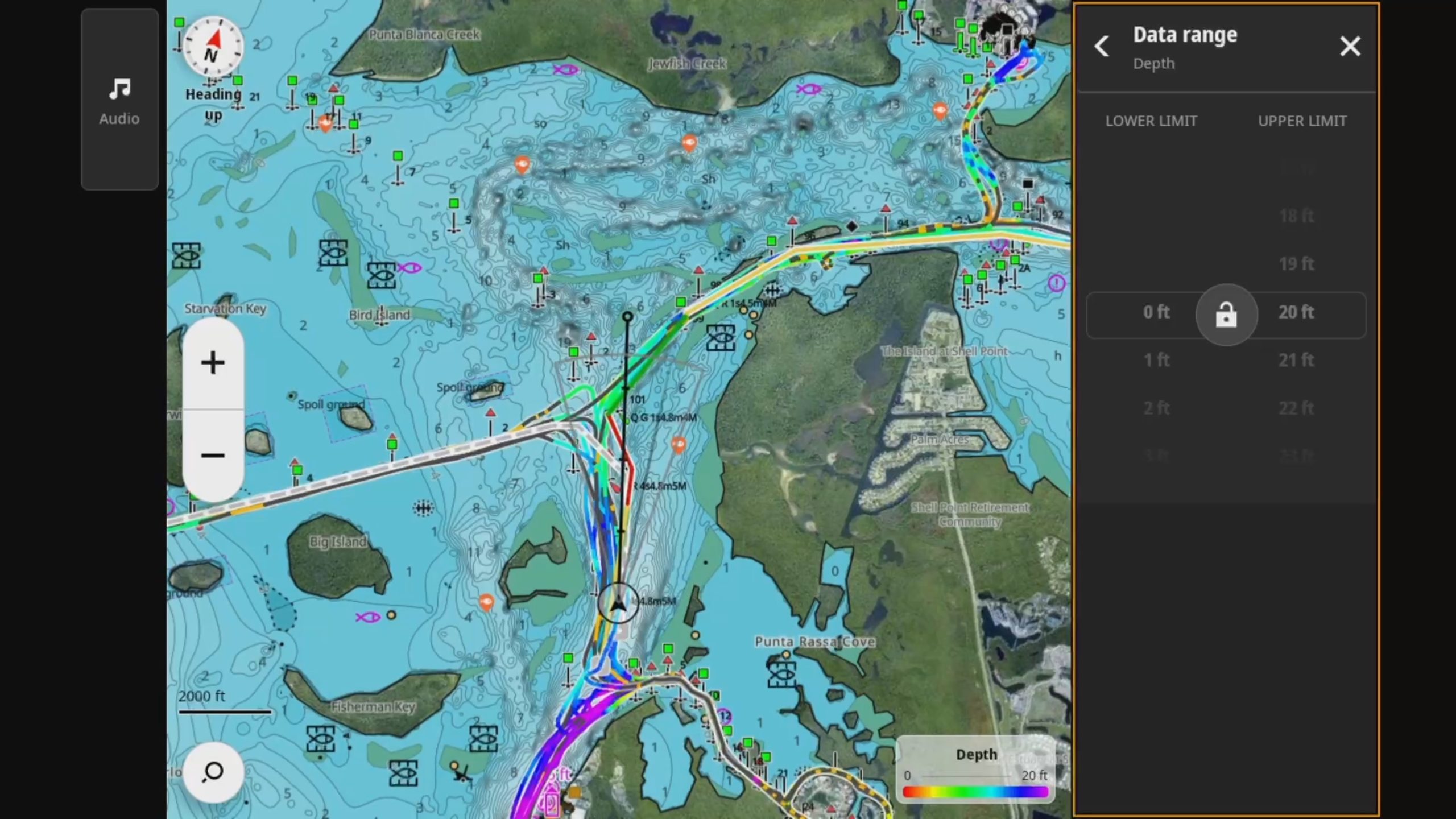
The most exciting improvement in tracks comes from the heat trails. Heat trails color code your track lines based on a single data point. You can display heat trails based on speed over ground or through water, depth, wind speed, velocity made good, water temperature, and anchoring depth at low tide. I’m not entirely clear on the anchoring depth option but will be experimenting with that soon.
Tides and Sunrise / sunsetT
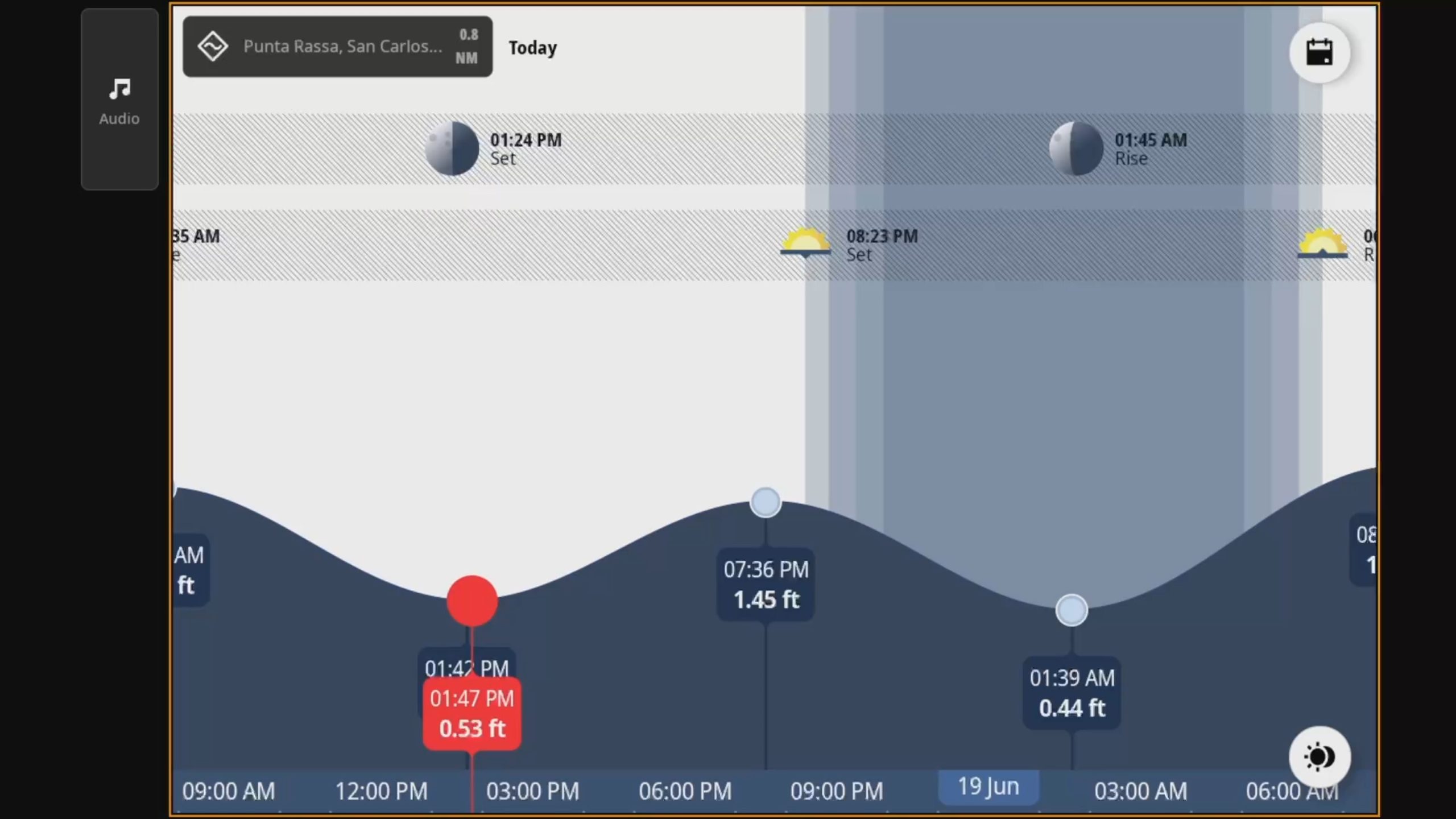
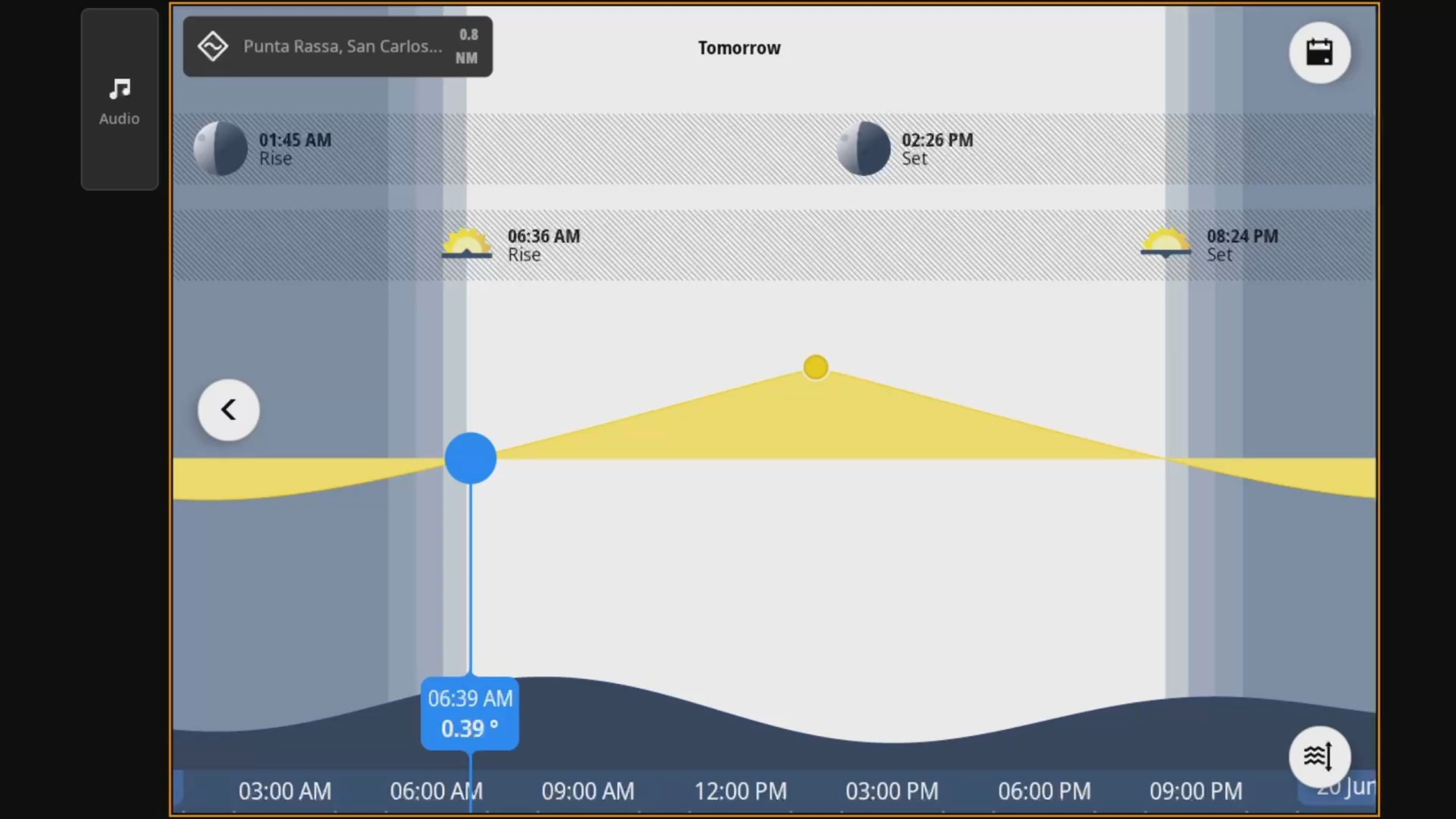
The tides app displays both tide and sunrise/sunset information. Like most chart plotter tide apps, you can drag along the timeline or use the calendar button — located in the top right — to select a specific date. One thing I haven’t found is a tide ribbon similar to what Garmin offers. In the shallow waters of Southwest Florida, I use tide information frequently and appreciate having it always present at a glance.
Final thoughts
I still have quite a bit of testing to do with NSS, radar, and sonar. My arm is at least a few weeks away from being in good enough shape for me to take on some of those installations. So, unfortunately, I’ll have to leave my testing here for now. I haven’t made a secret of the fact that I like Neon’s look and user interface. It is really nice to see the promise NSX showed paired up with more premium hardware. The additional horse power of the NSS platform shows Neon really well. My testing so far has been a pleasure with NSS. While there are features I’d like to see and small quibbles here and there, overall I think the platform is looking quite good. I look forward to more testing on the water and putting the rest of the NSS’ functionality through its paces as soon as I am able.


Hey Ben….thanks for the review of the new Simrad units. Let me know if you want a hand installing the radar and transducer in Cape Coral.
John,
Very kind of you. I’m back to two working arms so I hope to complete that work soon.
-Ben S.
From your earlier experience, would you be leaning toward NSS 4 or Furuno TZTXL range for a new fitout?
Brian,
I don’t have enough hands on experience with TZTXL to weigh in very authoritatively. However, I do expect a little more maturity in the platform for TZTXL as XL is a smaller upgrade over TZT3 than NSS 4 is over NSS 3. I hope to have the opportunity to spend some more time with TZTXL soon.
-Ben S.